The transaction profile in Fairways Debt is composed of contractual financial details and non-financial details.
It includes:
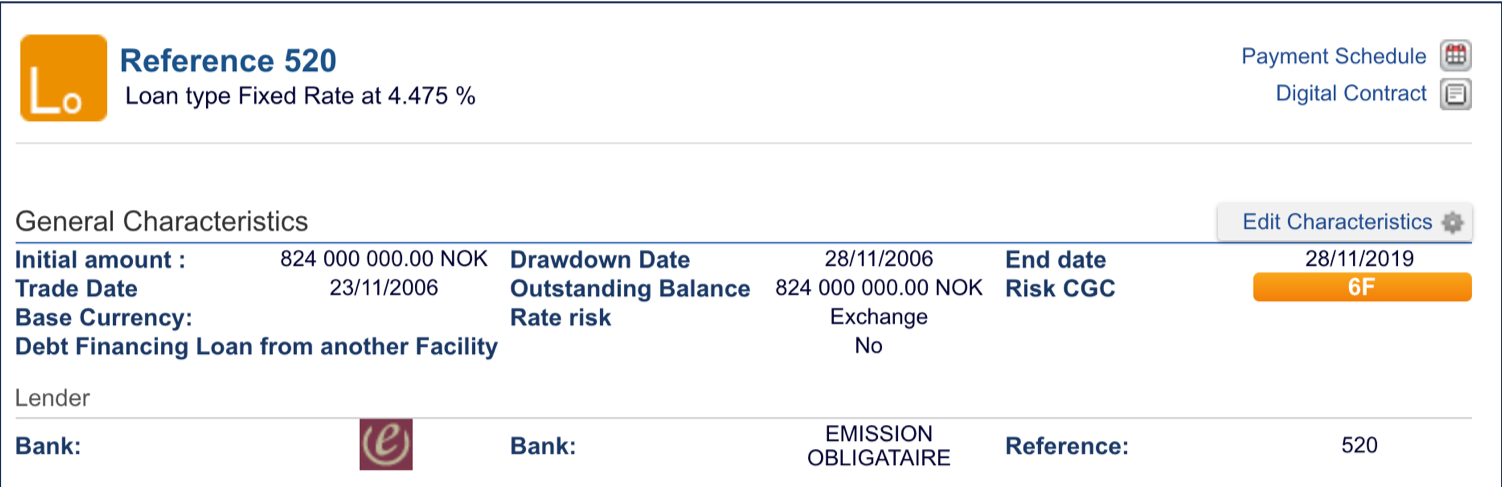
- The contract reference, its type, and rate
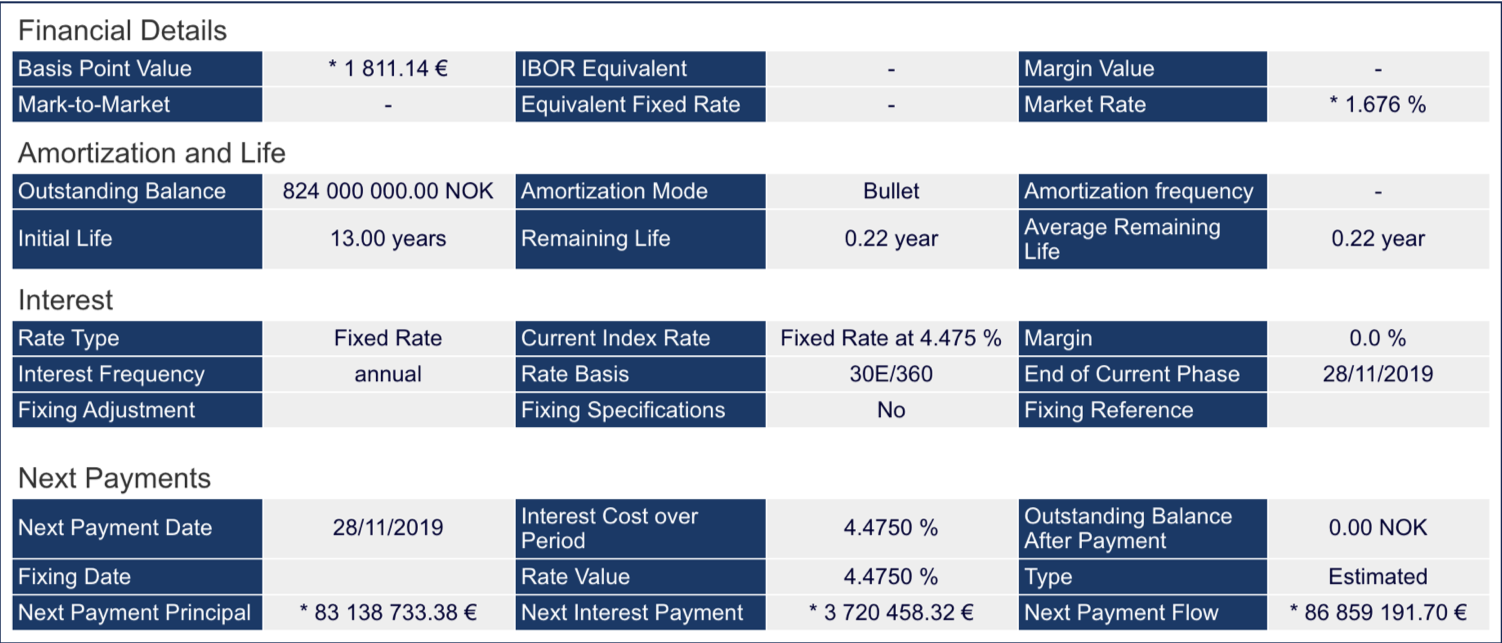
- Details for importing the transaction: life duration, amortization, frequency, interest rate (fixing for floating rates), day count convention, etc.
- Details of the next payment
- Some contractual options, e.g. details about early repayments, calculations of the next fee payments, notice date
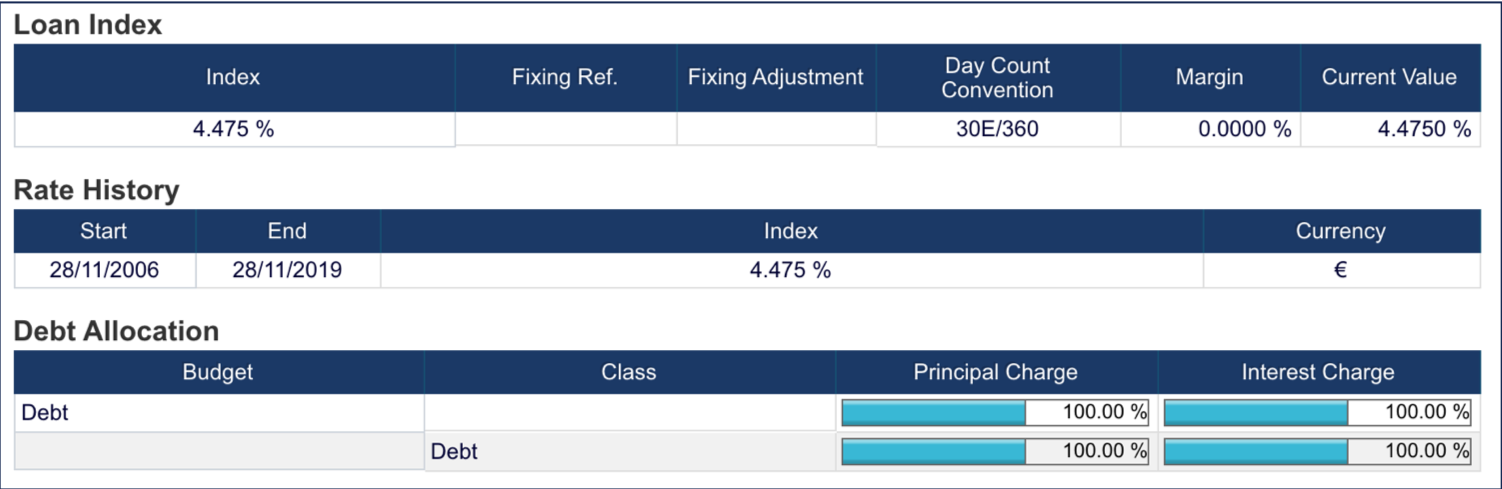
- Details about the index/rate used and the paid rate history
- The budget allocation and the charges for entrusting the loan
- Details broken down between the paying/receiving legs, for swaps
Log In to Fairways Debt
- Log in to Fairways Debt.
- Load the relevant customer account.
View a Transaction Profile
- Click Portfolio.
- Select a debt type.
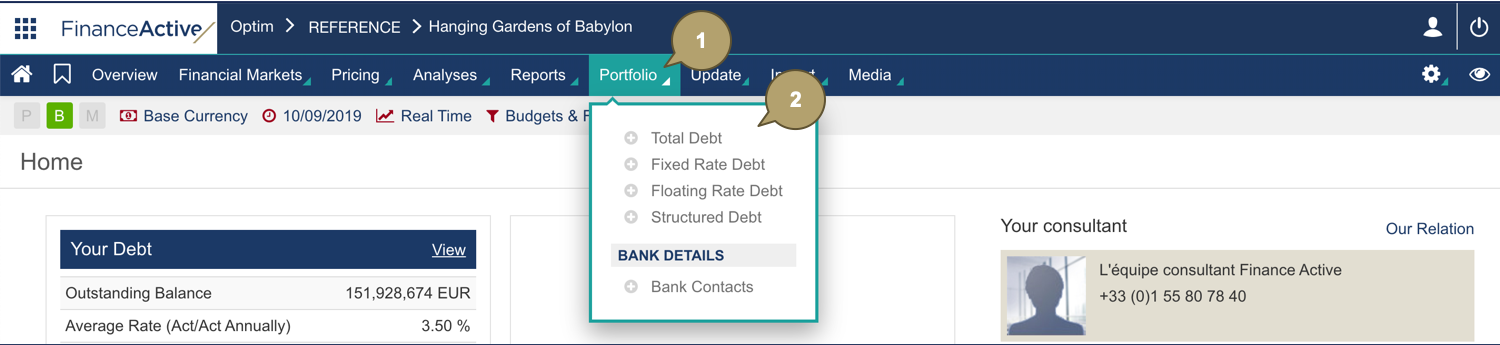
- Click:
- A transaction icon, e.g.

- A transaction reference
- A transaction icon, e.g.

The transaction profile displays.
Related Documentation