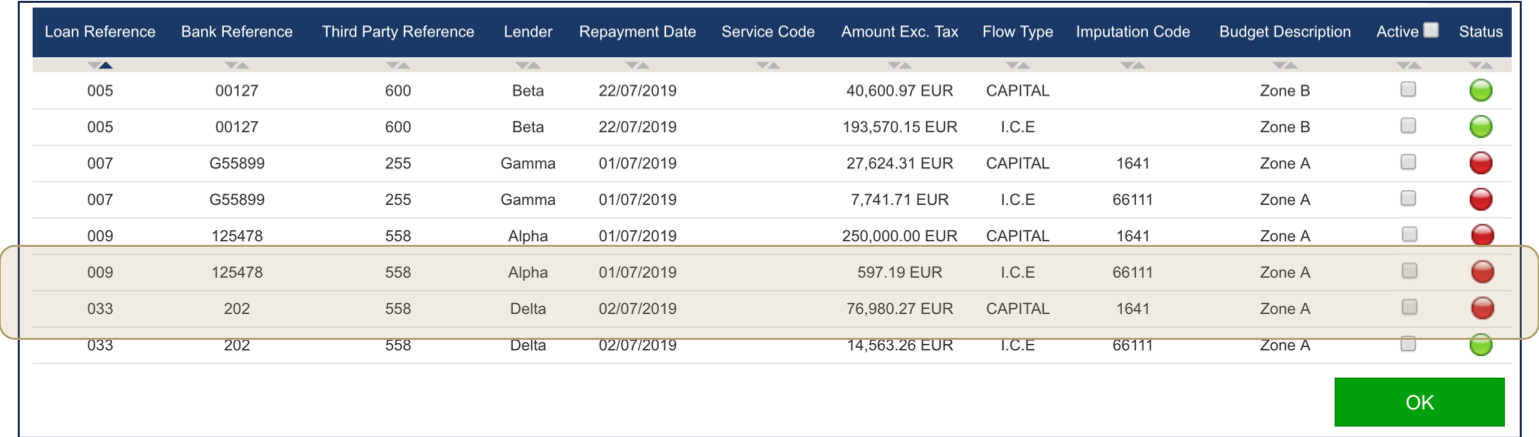
Fairways Debt enables you to create payment orders to import in the Grand Angle software.
Log In to Fairways Debt
- Log in to Fairways Debt.
- Load the relevant customer account.
Create a Payment Order
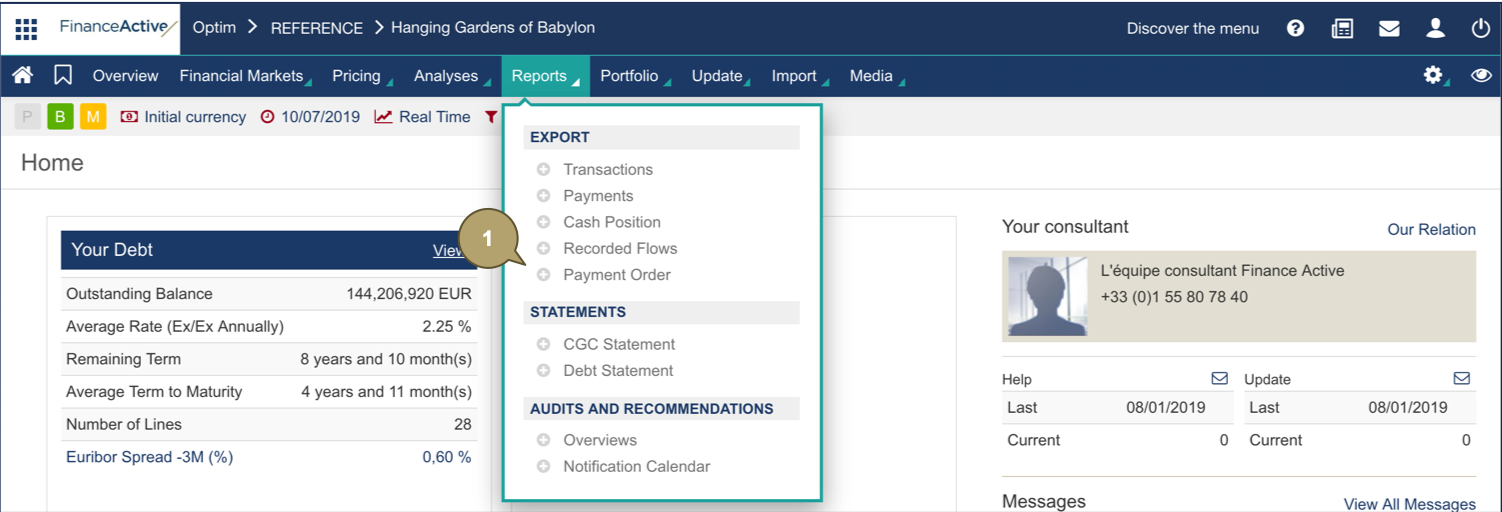
- Navigate to Reports > Export > Payment Order.
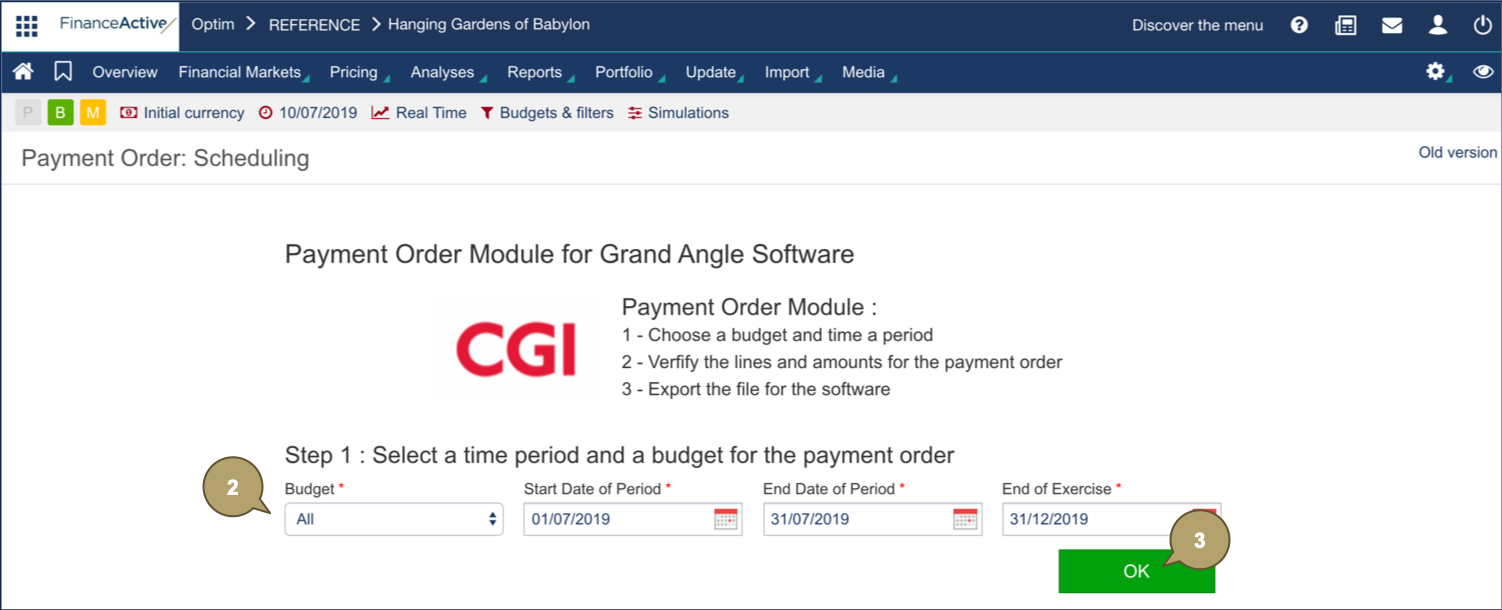
- Complete the form with all relevant details.
Note: Fields marked with an asterisk * are mandatory.
|
Field |
Description |
|---|---|
|
Budget |
Payments selected for the order. |
|
Start Date of Period |
Start date of the order period. |
|
End Date of Period |
End date of the order period. |
|
End of Exercise |
End Date of the exercise. |
- Click OK.
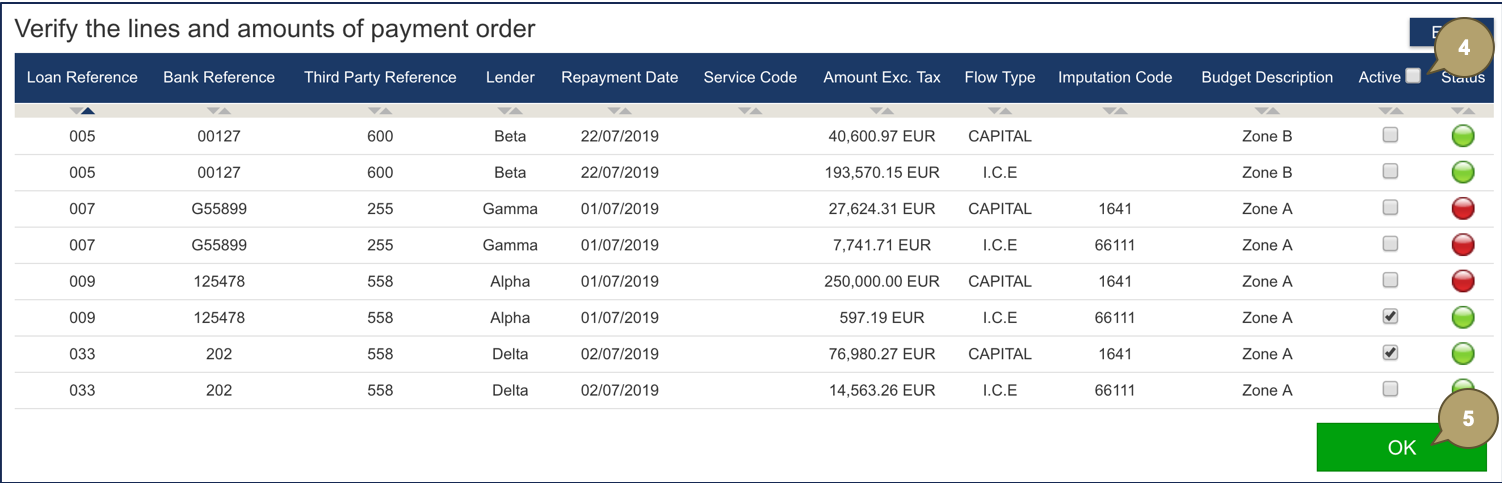
The budget defined displays.
- Select loans for the order.
- Click OK.
- Click Payment Form.
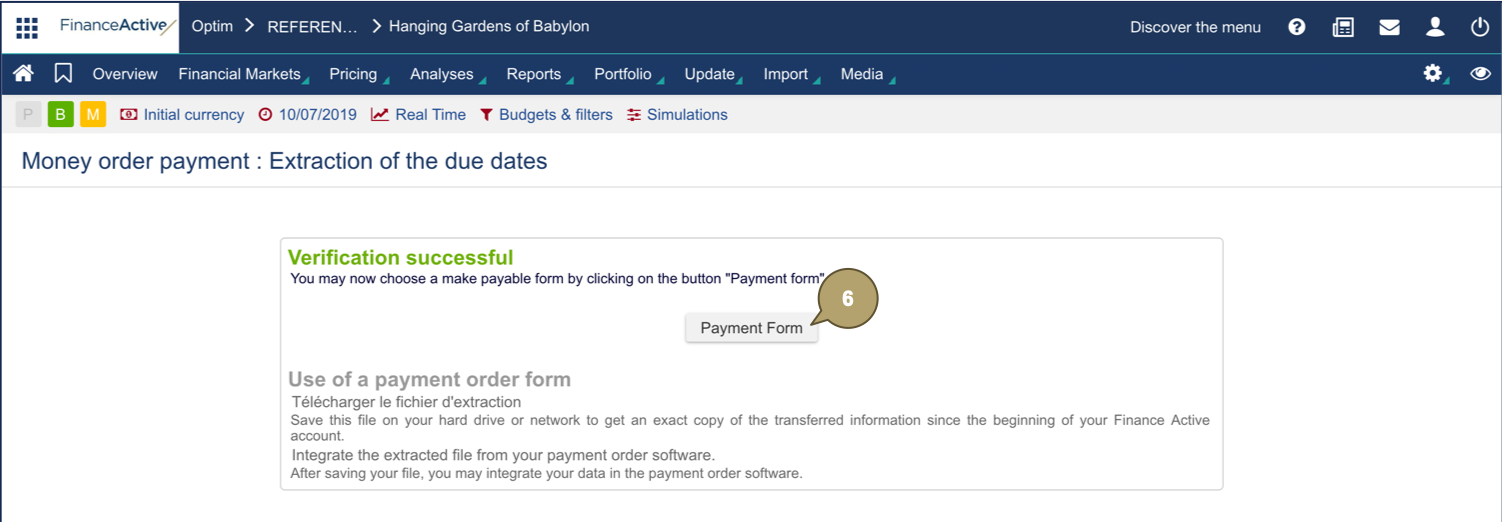
The file downloads and the icon marking the loan status becomes red  .
.