The framework and validation of the database are important stages in our relationship. They optimize your use of Fairways Debt:
- Accurate reporting and debt audits
- Trustworthy debt statements
- Relevant recommendations from your consultant
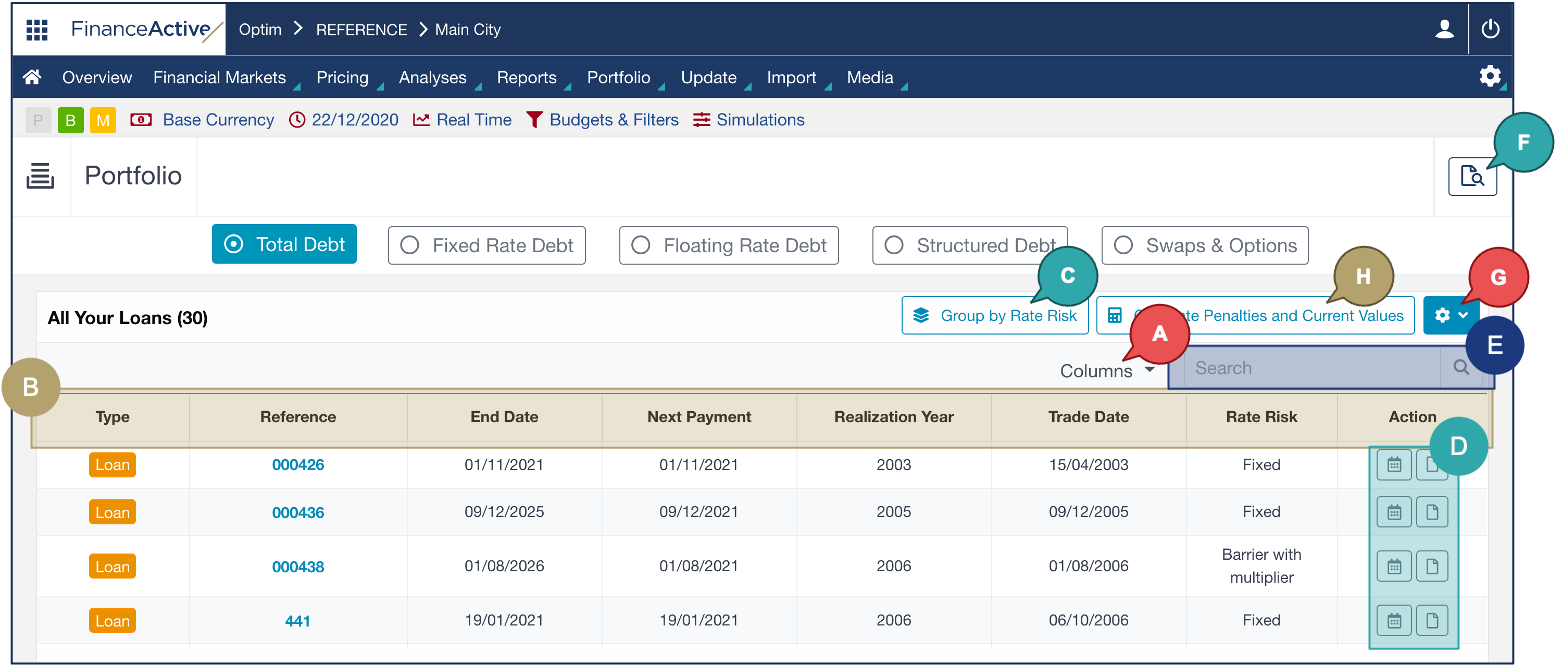
The Total Debt page gives you an overview of your transactions.
- Log in to Fairways Debt, and load the customer account, if relevant.
- Navigate to Portfolio > Your Debt.

The Total Debt page displays.
Note: To scroll and view all the transactions of the list:
- Use the wheel on your mouse.
- Click a row and push the up and bottom arrows on your keyboard.
|
# |
Description |
|---|---|
|
A |
Select the data to display. |
| B |
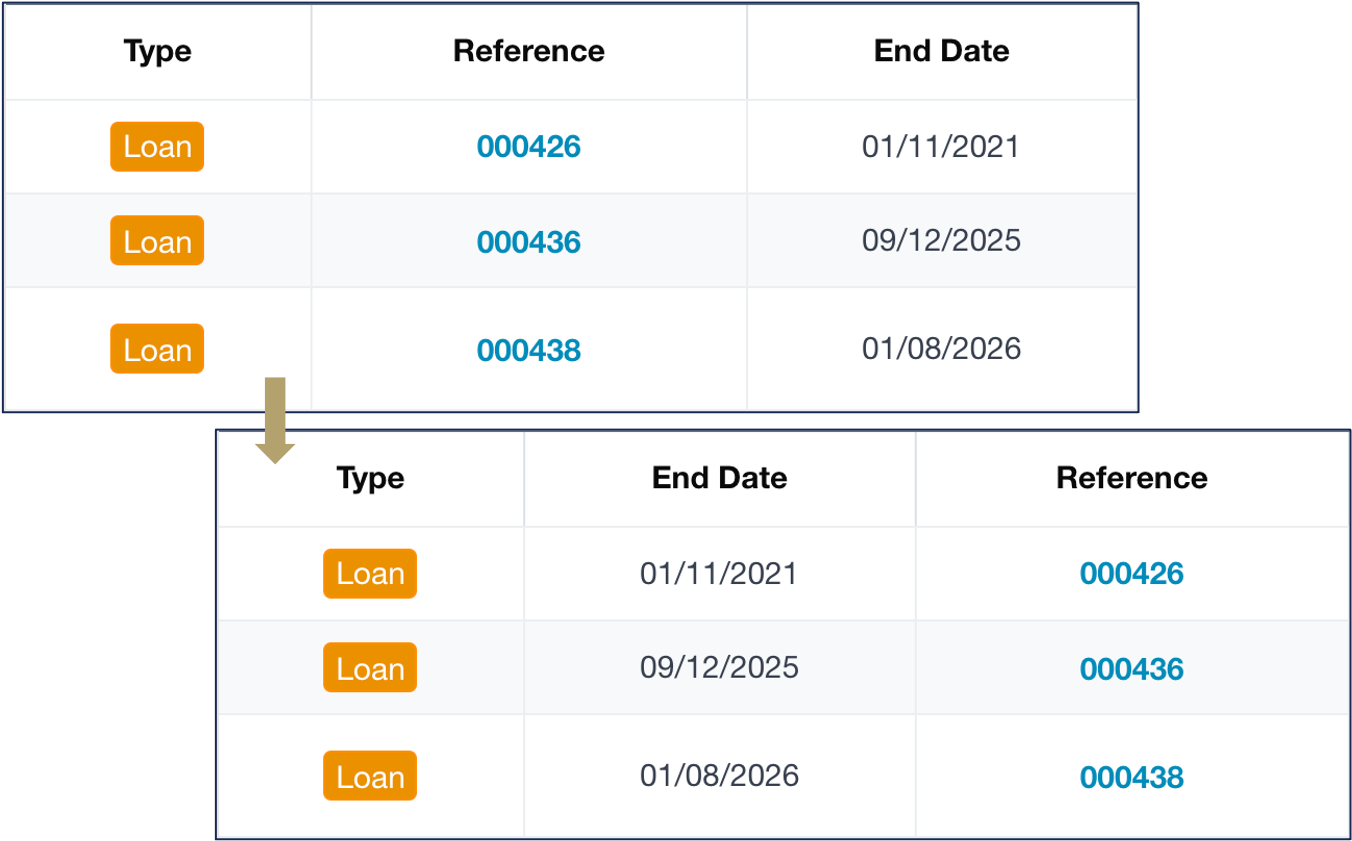
Order data:
In this example, we order End Date before Reference.
|
|
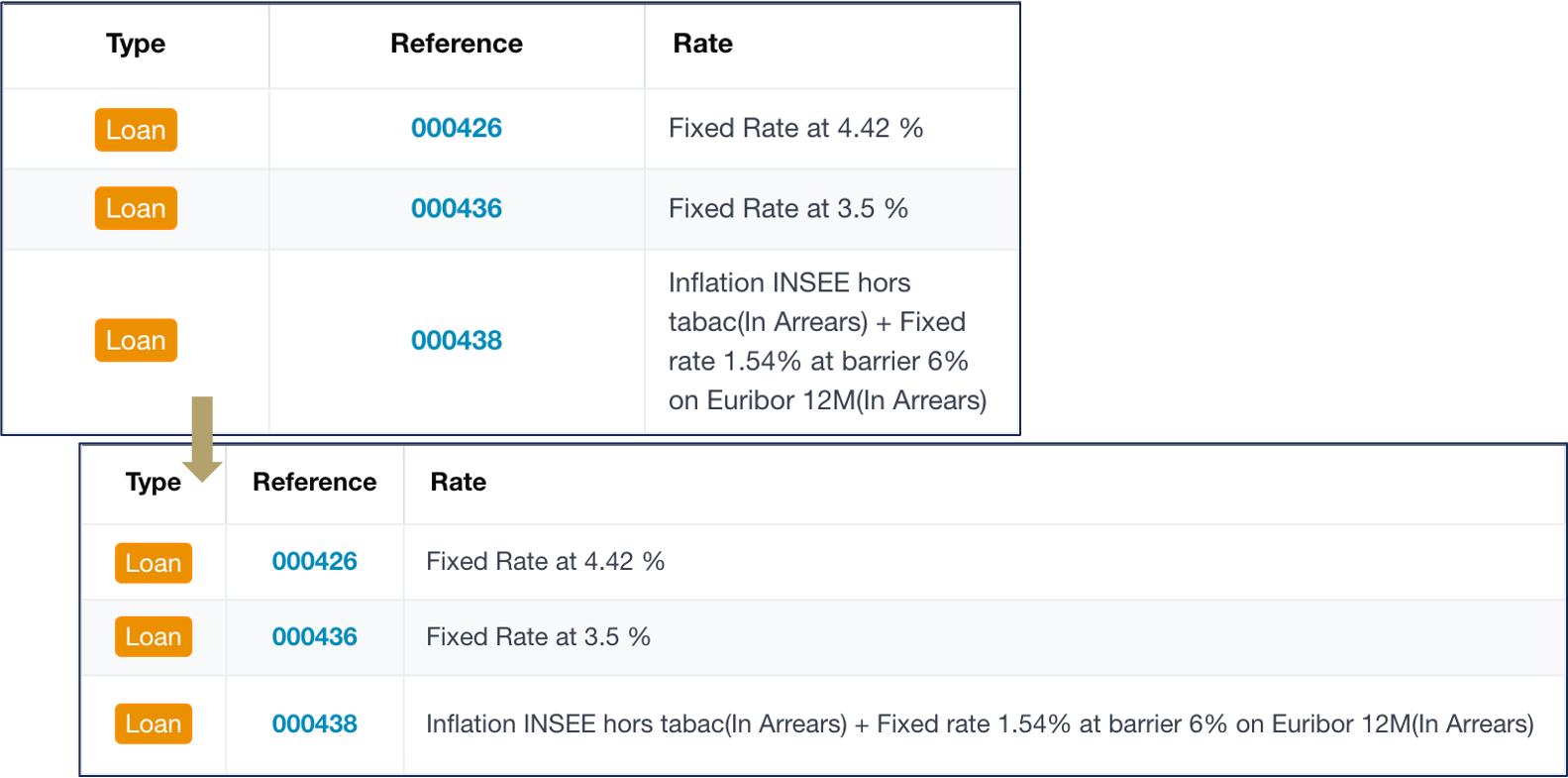
Resize the column width:
In this example, we reduce the Type and Reference columns and enlarge the Rate column.
|
|
|
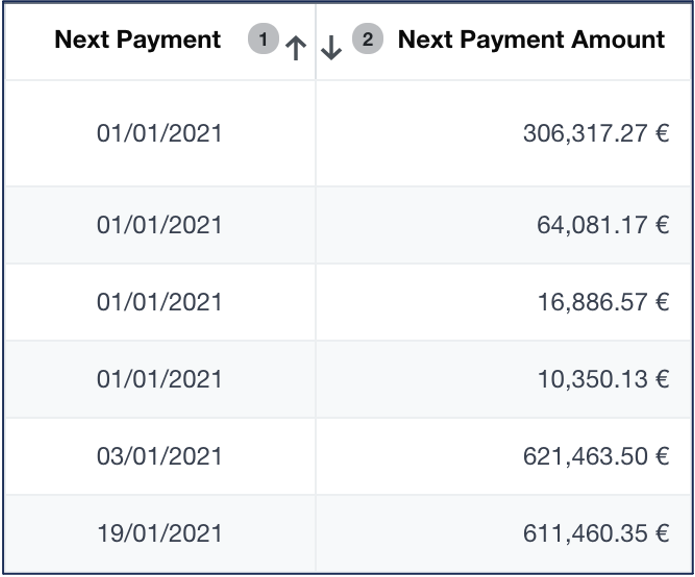
Click a header to sort the transactions following a specific criterion. To sort using multiple criteria:
In this example, the data is sorted by the next payment date in the ascending order, then by the amount in the descending order.
|
|
| C |
Group the transactions by rate risk. |
| D |
Open the transaction details. Note: Clicking the type and the reference also enables you to open the transaction profiles. |
| E |
Search for a transaction within the list. |
| F |
Search for a transaction within the whole portfolio. |
| G |
Export data currently displayed to Excel. |
| H |
Navigate to the Penalty & Present Value page. |