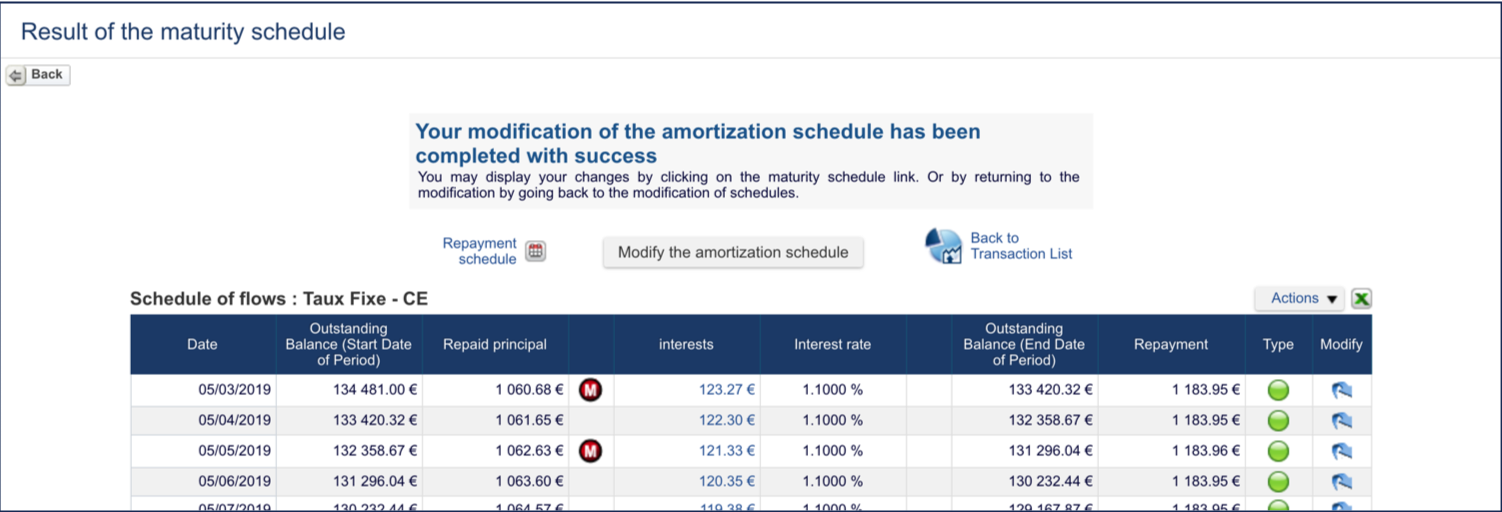
Fairways Debt enables you to edit the payment schedule of a transaction, while verifying the sum of paid principals properly matches the principal borrowed.
Log In to Fairways Debt
- Log in to Fairways Debt.
- Load the relevant customer account.
Open the Principal Payment Schedule of a Transaction...
... Via the Payment Schedules List
- Click Update.
- Click Transactions > Payment Schedules.
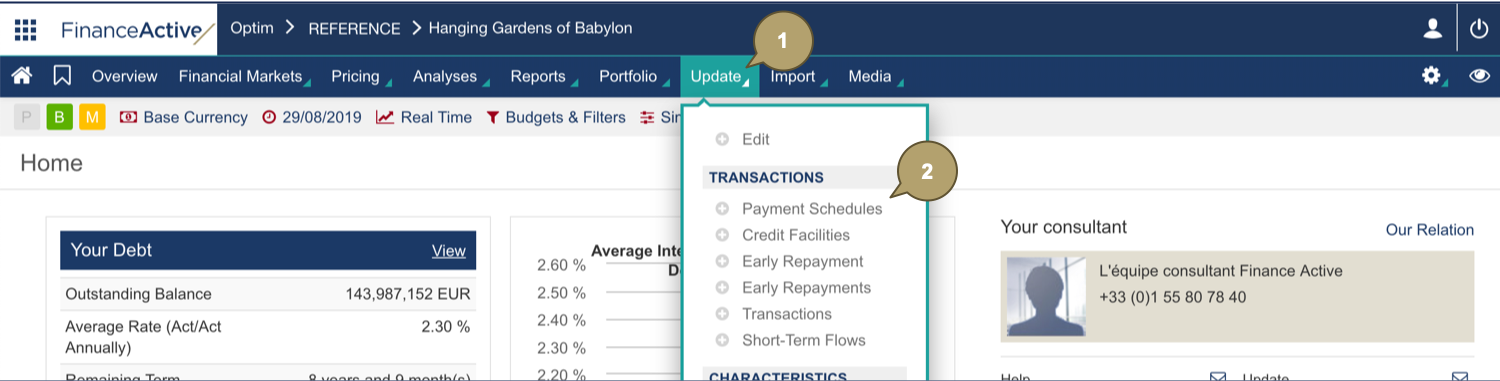
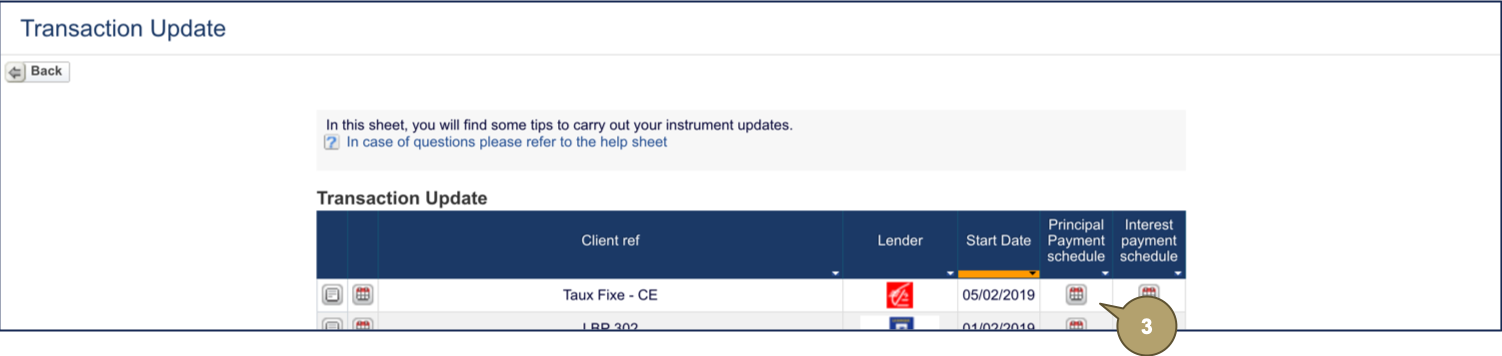
- Click the principal payment schedule
 to edit.
... Via the Payment Schedule of a Transaction
- Open a transaction profile.
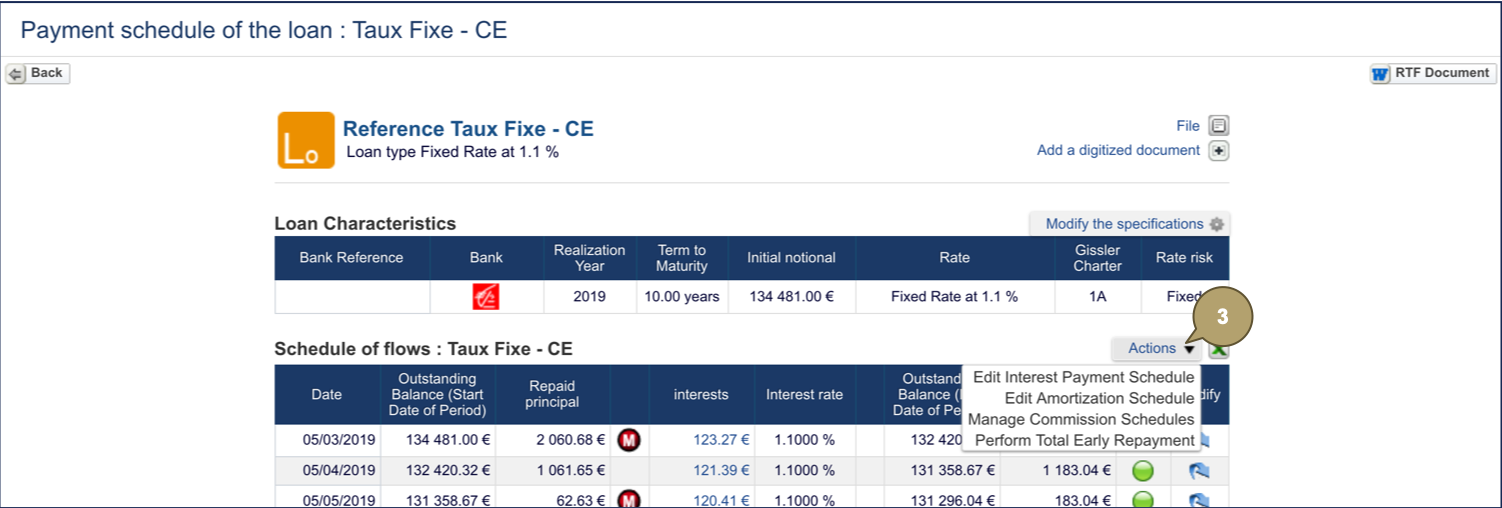
- Click Payment Schedule .

- Click Actions > Edit Amortization Schedule.
Edit the Principal Payment Schedule
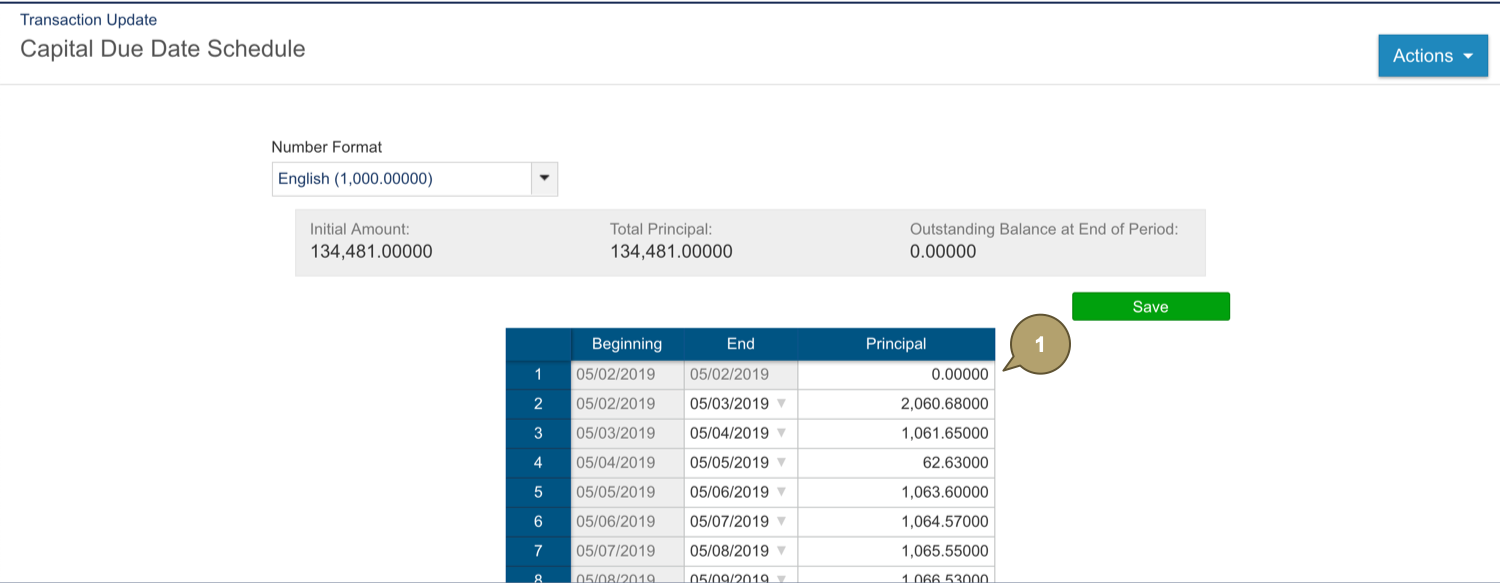
Note: The end date of the period is the payment date.
- Edit a principal.
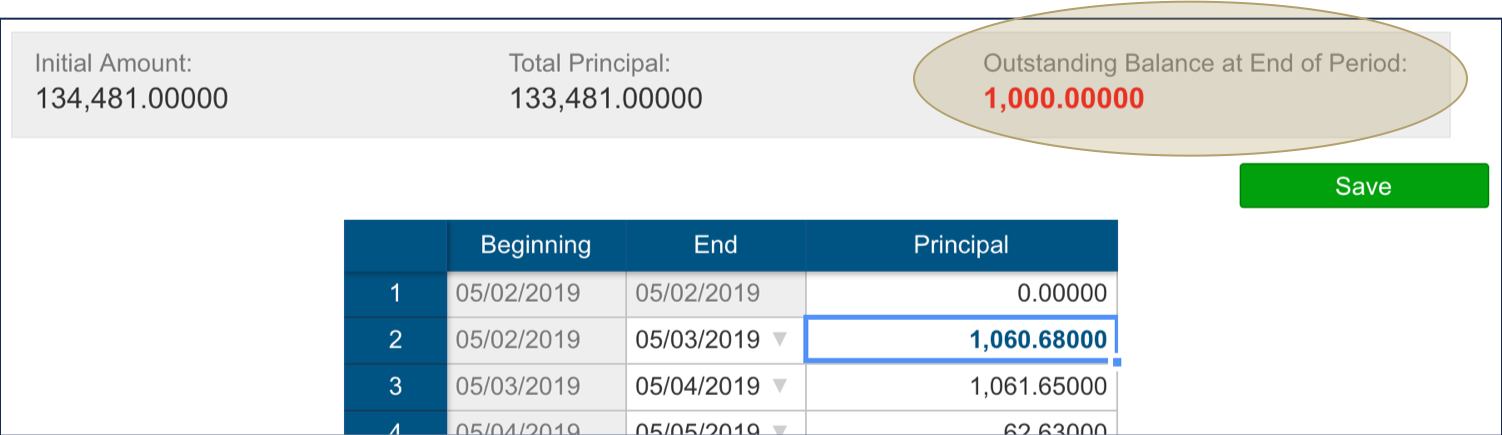
The outstanding balance at the end of the period alerts you about the difference.
- Edit another or multiple principals to correct this difference.
- Click Save to update the schedule.
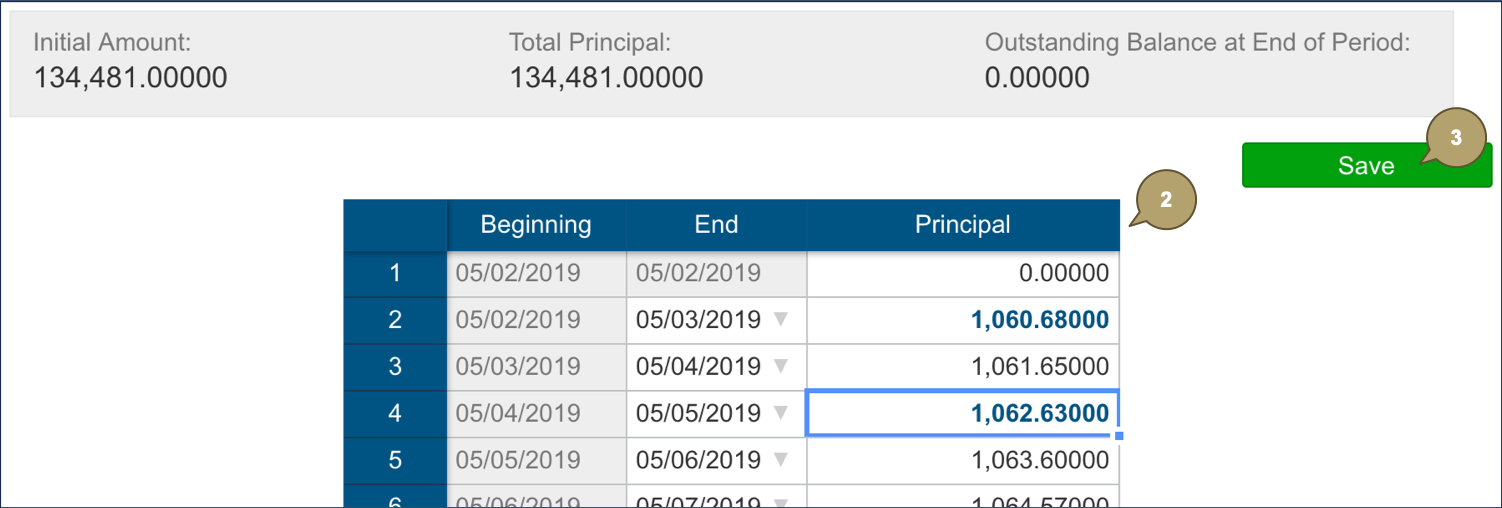
The schedule updates.