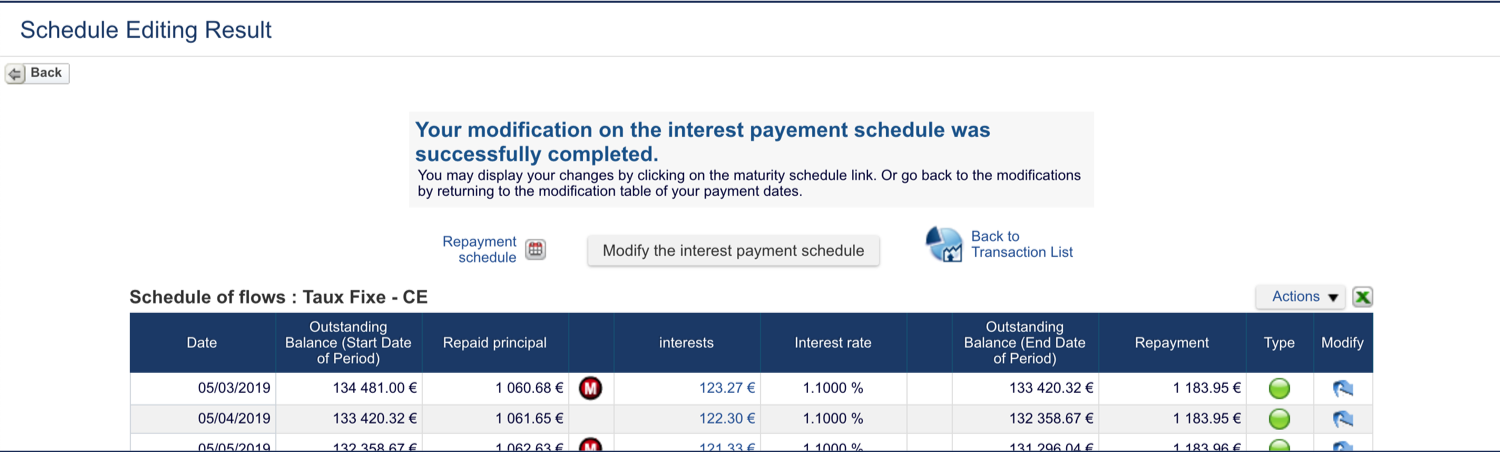
Fairways Debt enables you to edit the payment schedule of a transaction.
Log In to Fairways Debt
- Log in to Fairways Debt.
- Load the relevant customer account.
Open the Interest Payment Schedule of a Transaction...
... Via the Payment Schedules List
- Click Update.
- Click Transactions > Payment Schedules.
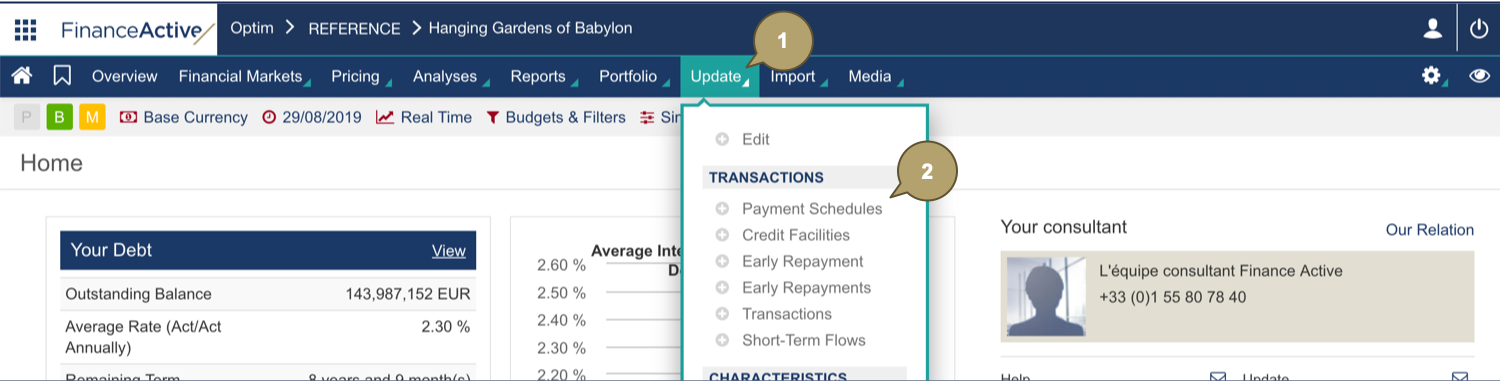
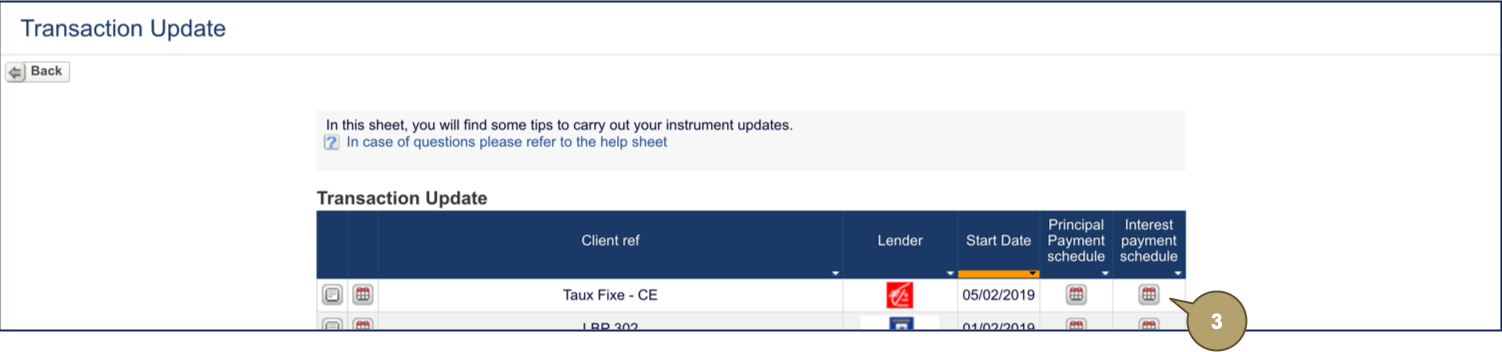
- Click the interest payment schedule
 to edit.
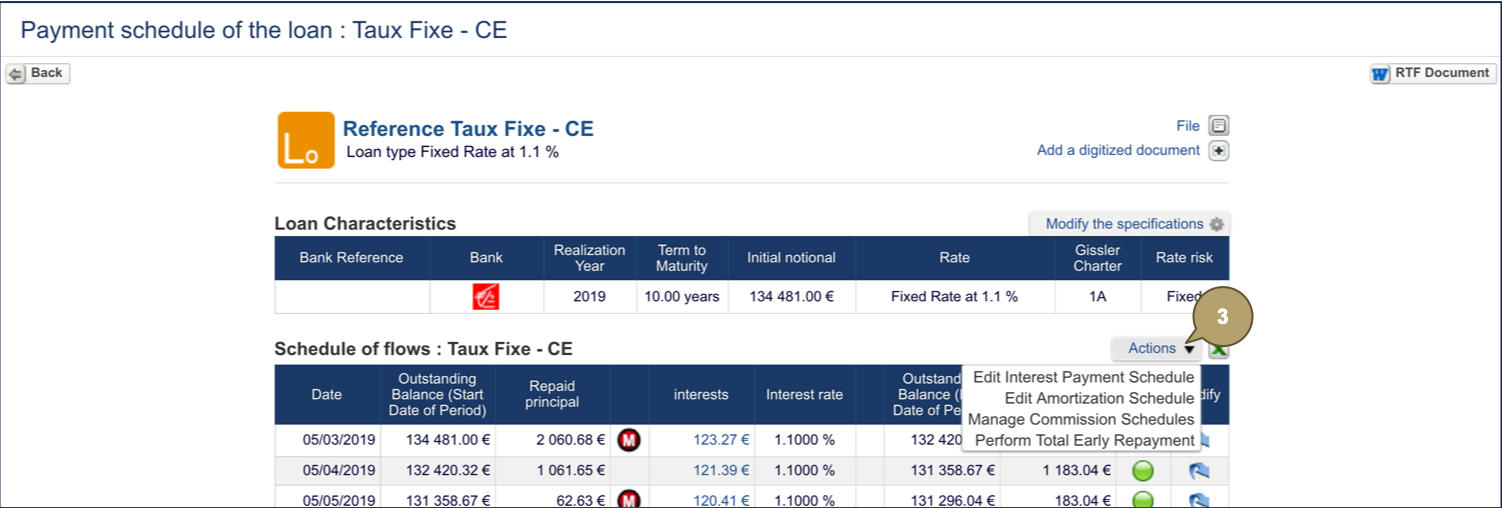
... Via the Payment Schedule of a Transaction
- Open a transaction profile.
- Click Payment Schedule .

- Click Actions > Edit Interest Payment Schedule.
Edit the Interest Payment Schedule
- Edit all relevant details.
|
Field |
Description |
|---|---|
|
Start of Period |
Start date of the period. |
|
End of Period |
End date of the period, payment date. |
|
Payment |
Payment date. |
|
Interest |
Interest amount. |
|
Fixing |
Fixing date. |
|
Rate |
Rate level. |
- Click Save.
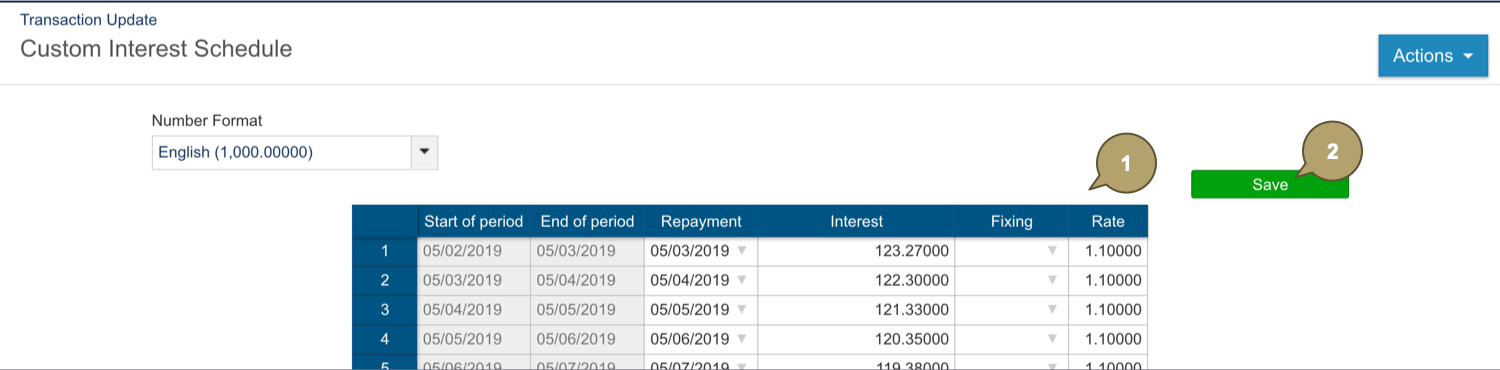
The payment schedule updates.