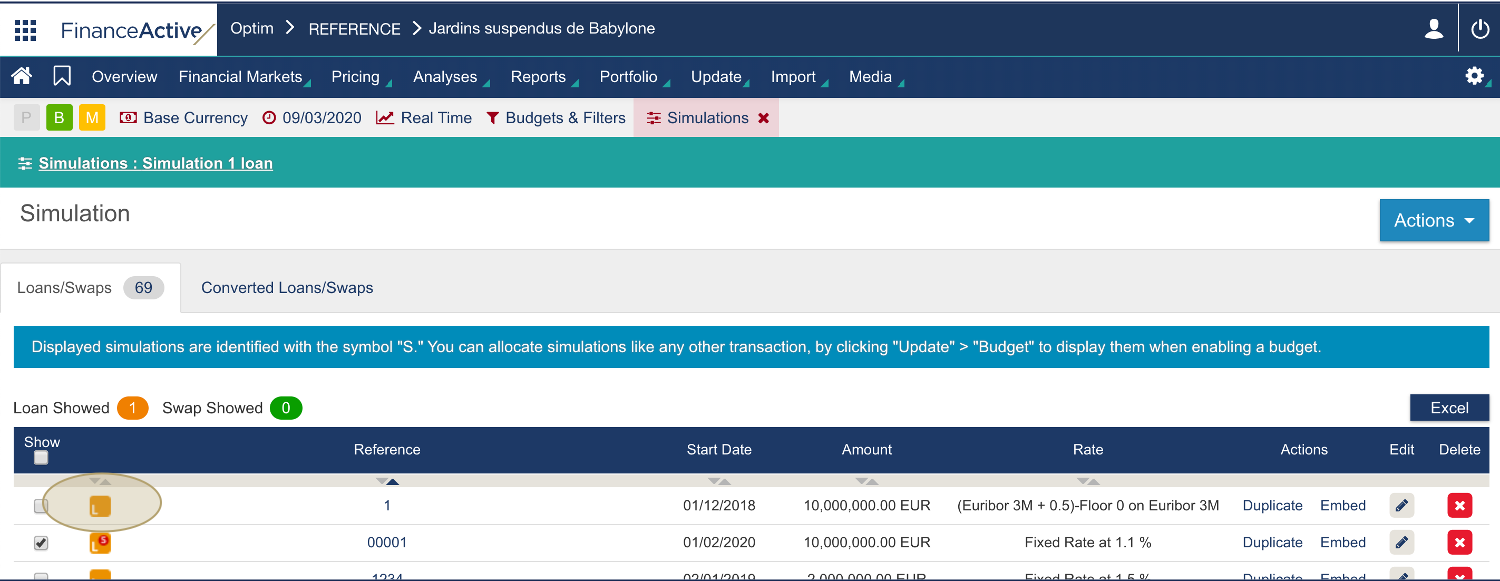
In Fairways Debt, to stop taking into account a transaction simulation when computing debt, disable that simulation.
Log In to Fairways Debt
- Log in to Fairways Debt.
- Load the relevant customer account.
Disable Transaction Simulations
- Navigate to Simulations.
- Deselect simulations to disable.
- Click OK.
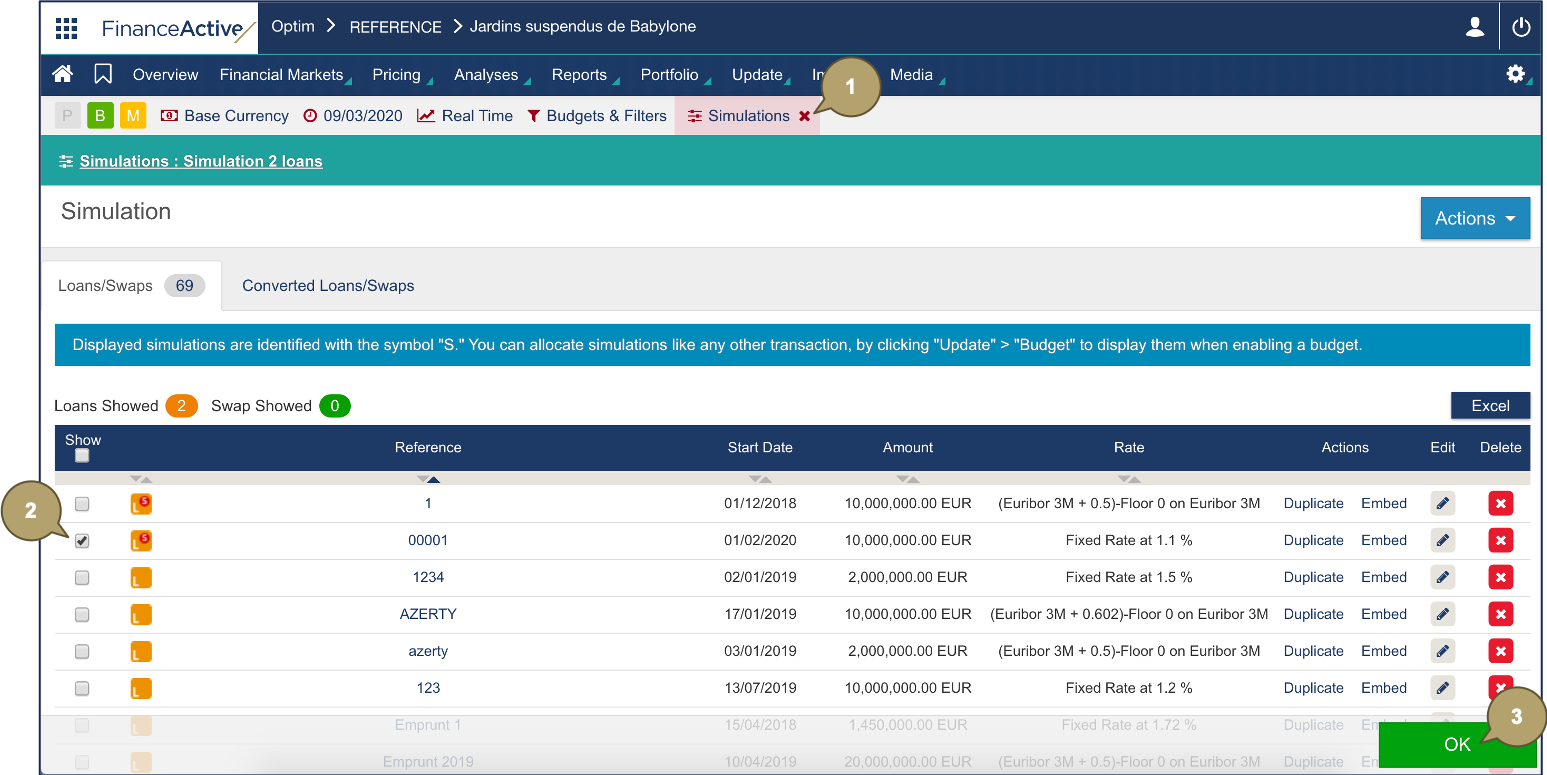
Deselected simulations are disabled. The icons of the disabled transactions are no longer marked with an S.