Fairways Debt offers you pricing tools, e.g. the simulation of loan schedules.
Log In to Fairways Debt
- Log in to Fairways Debt.
- Load the relevant customer account.
Simulate the Schedule of a Loan with a Floating Rate
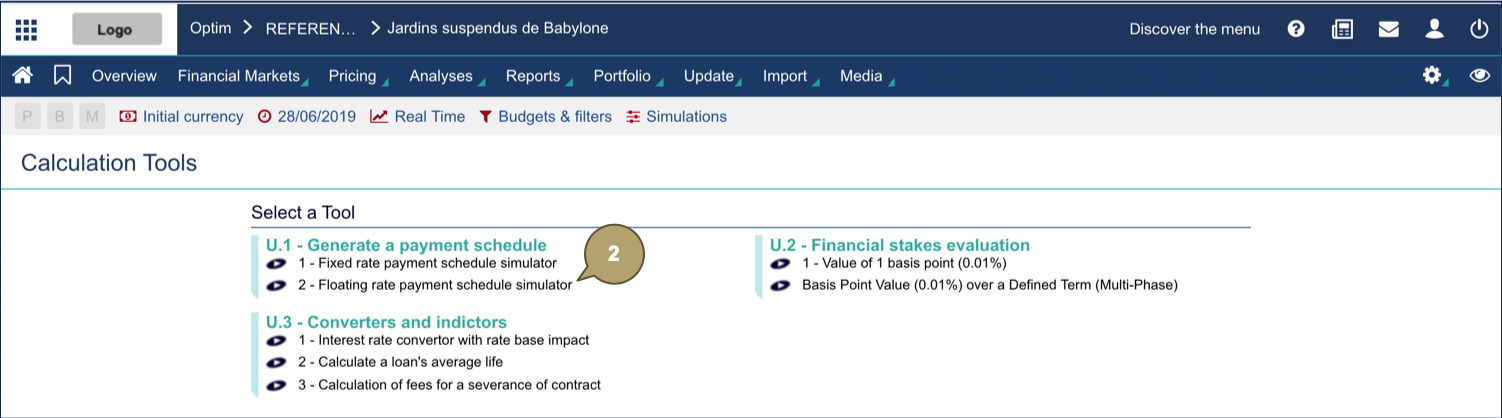
- Navigate to Pricing > Calculation Tools.

- In Generate a Payment Schedule, click Floating Rate Payment Schedule Simulator.
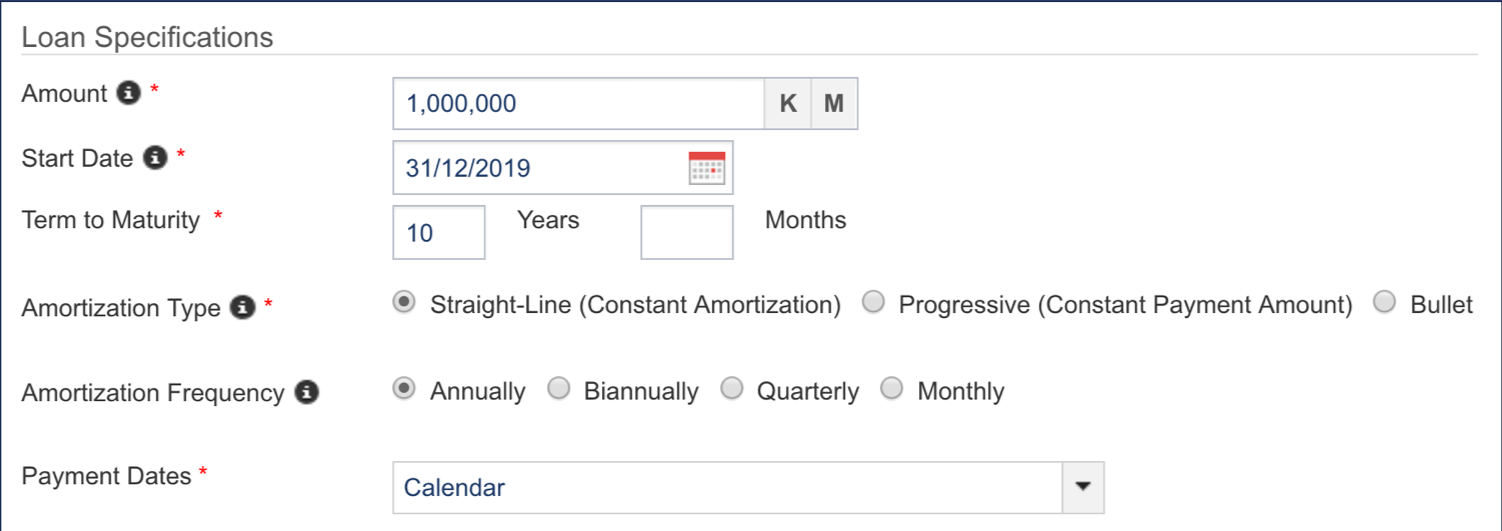
- Complete the form with all relevant details.
Note: Fields marked with an asterisk * are mandatory.
|
Field |
Description |
|---|---|
|
Amount |
Amount borrowed. |
|
Start Date |
Initial start date of the loan. |
|
Term to Maturity |
Loan duration. |
|
Amortization Type |
Amortization mode. |
|
Amortization Frequency |
Amortization frequency. |
|
Adjustment mode for the payment date. |
|
Field |
Description |
|---|---|
|
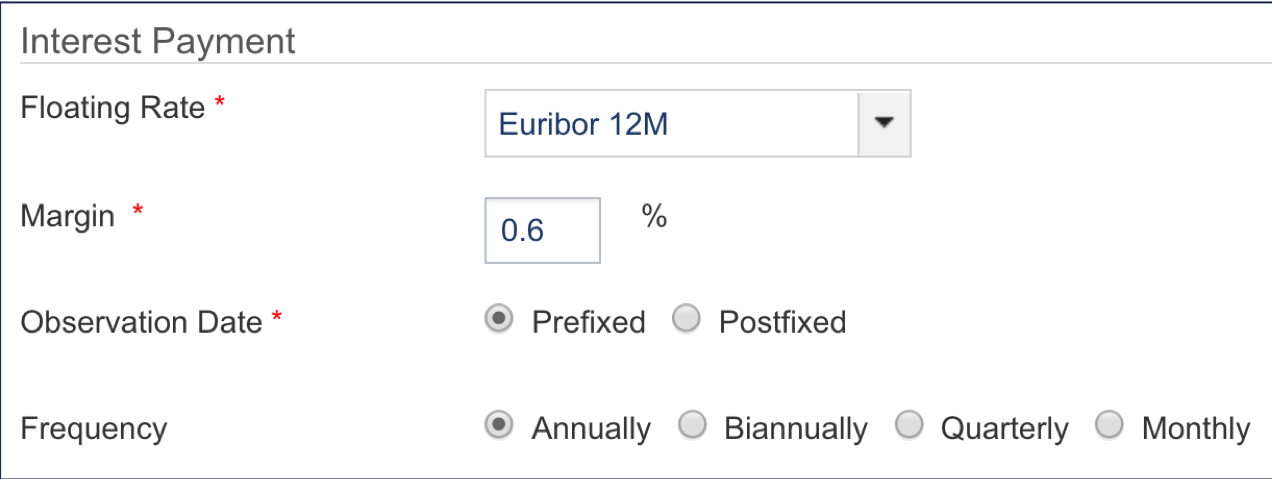
Floating Rate |
Name of the index used to calculate the rate. |
|
Margin |
Spread in percentage. |
|
Observation Date |
Payment conditions. |
|
Frequency |
Interest periodicity. |
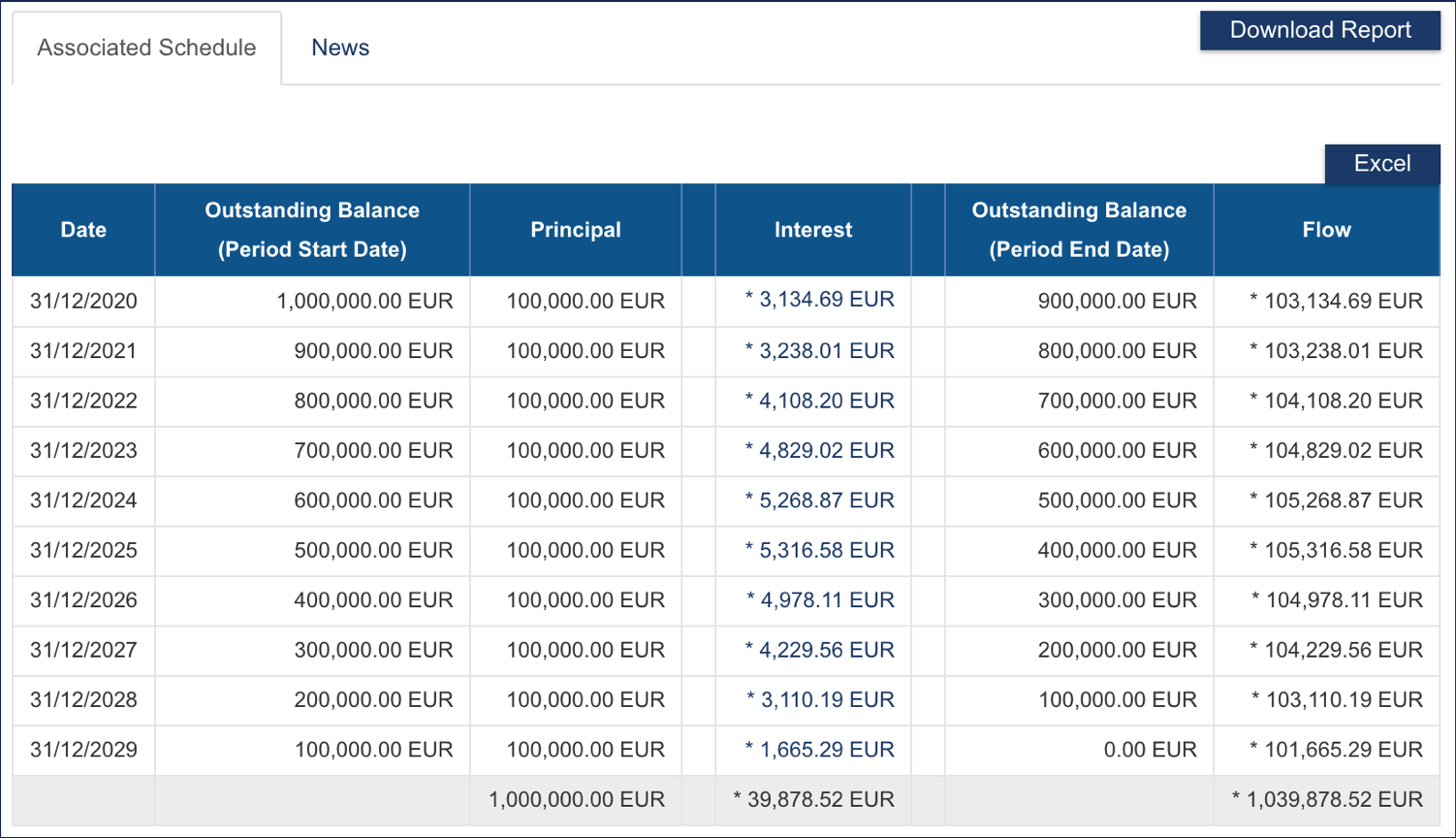
- Click OK to compute the loan schedule.
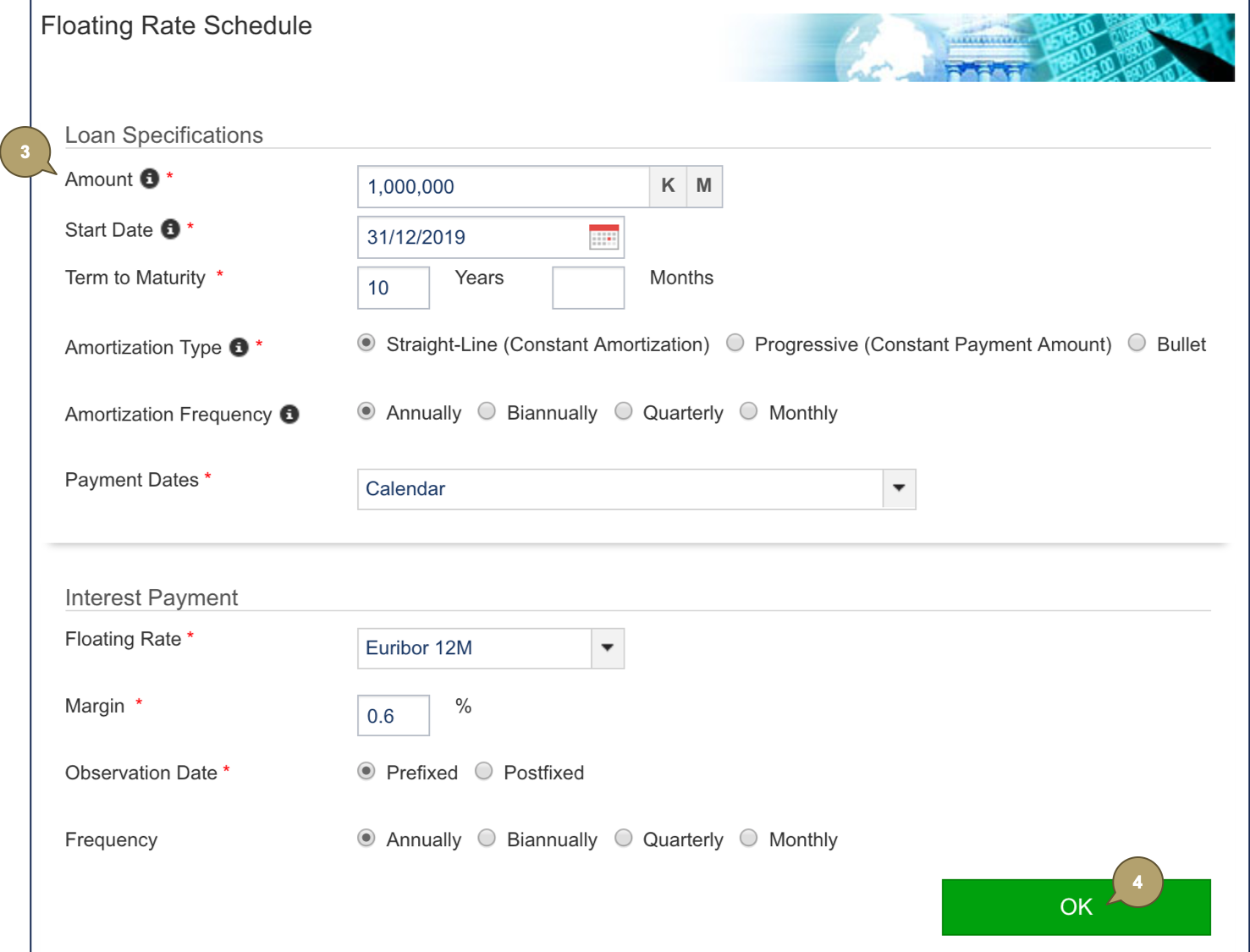
The schedule is generated.
Payment Dates
Adjustment modes define how the system rolls dates in case of holidays in the calendar.
|
Field |
Description |
|---|---|
|
Calendar |
Not rolled. |
|
Preceding |
Rolled to the previous business day. |
|
Following |
Rolled to the next business day. |
|
Modified Following |
Rolled to the next business day, only if that day occurs in the same month. Otherwise, rolled to the previous business day. |