Fairways Debt offers you pricing tools, e.g. the impact measurement of a 0,01% rate variation, using the basis point, a unit associated with the loan profile.
Log In to Fairways Debt
- Log in to Fairways Debt.
- Load the relevant customer account.
Value a Basis Point
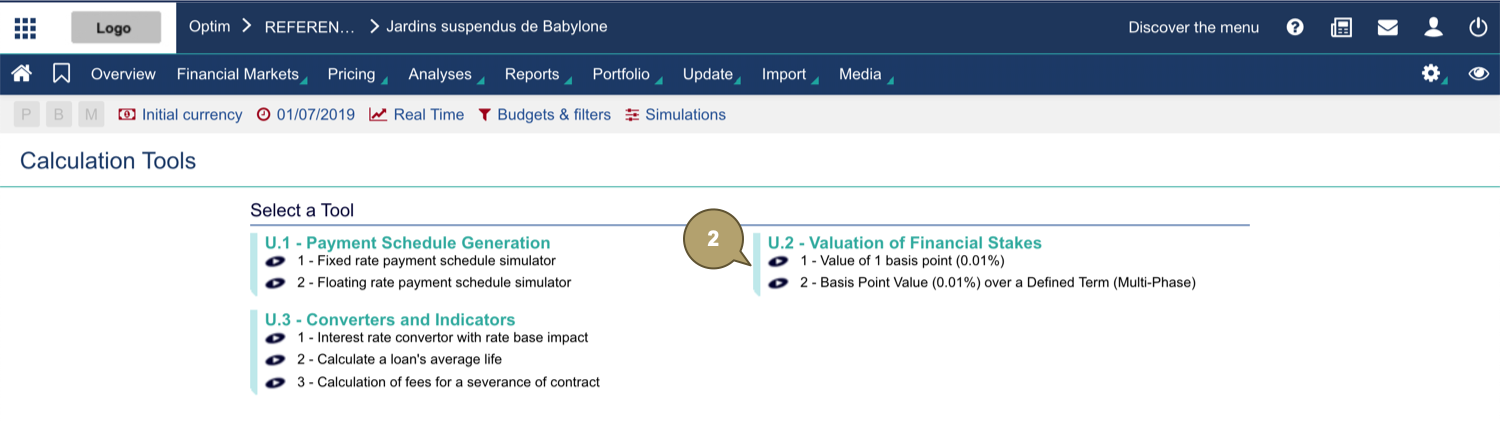
- Navigate to Pricing > Calculation Tools.

- In Valuation of Financial Stakes, click Value of 1 basis point (0,01%).
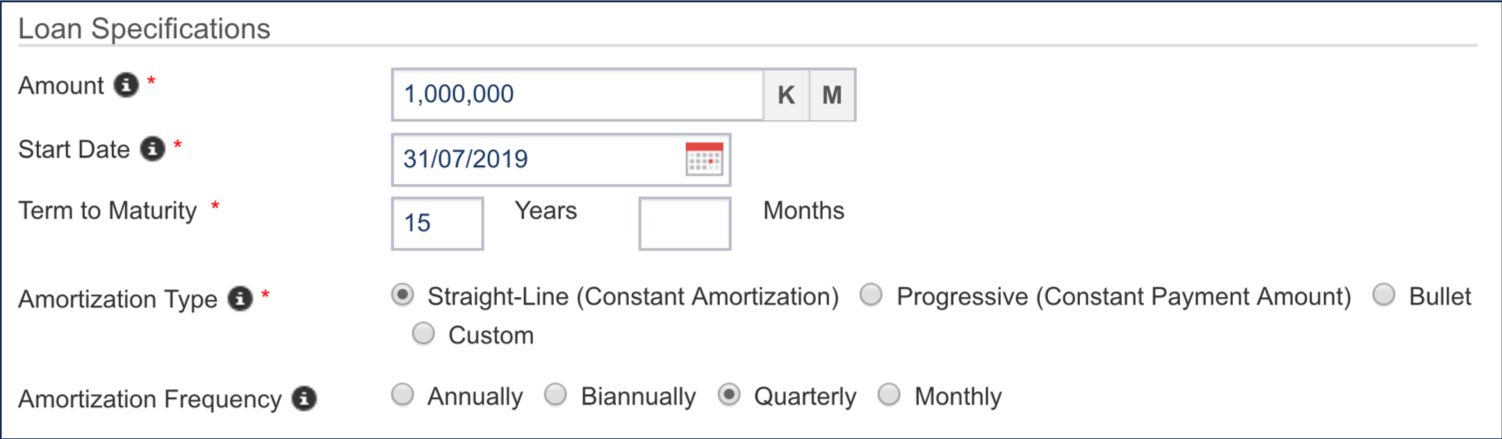
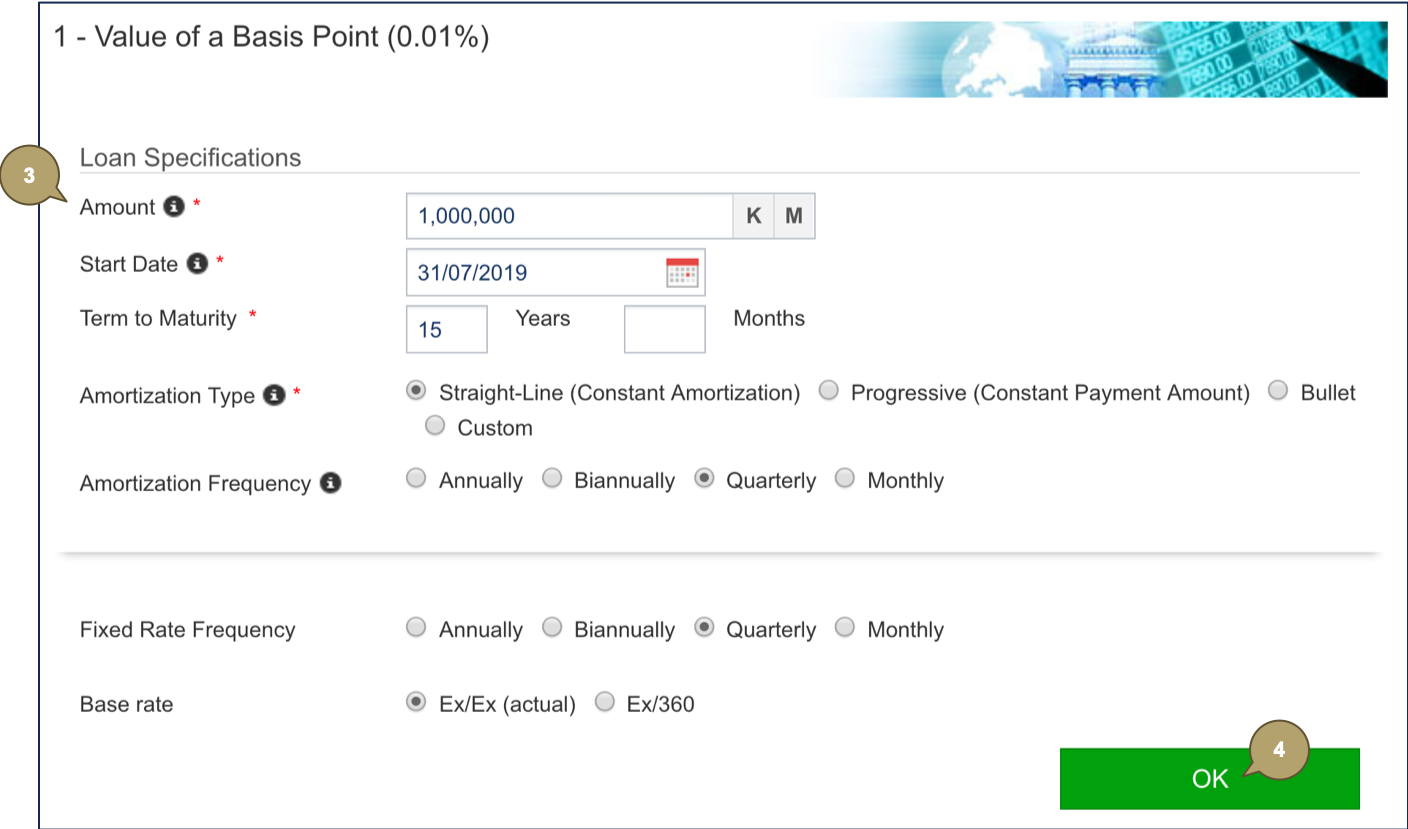
- Complete the form with all relevant details.
Note: Fields marked with an asterisk * are mandatory.
|
Field |
Description |
|---|---|
|
Amount |
Amount borrowed. |
|
Start Date |
Initial start date of the loan. |
|
Term to Maturity |
Loan duration. |
|
Amortization Type |
Amortization mode. |
|
Amortization Frequency |
Amortization frequency. |
|
Field |
Description |
|---|---|
|
Fixed Rate Frequency |
Frequency of the rate. |
|
Base Rate |
Basis for calculating interest. |

- Click OK to value the rate.
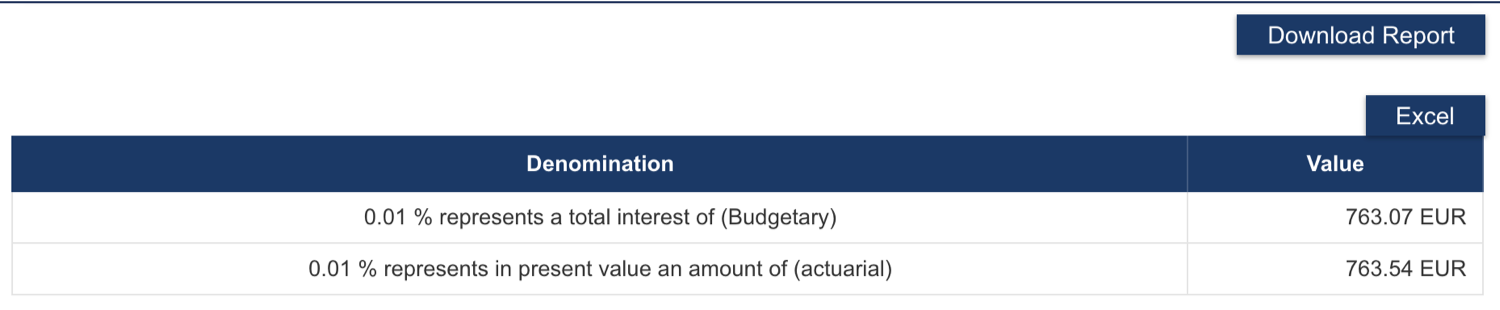
The valuation results display:
- The first amount, called "budgetary" basis point, represents the variation of future paid financial fees if a 0,01% change rate occurs.
- The second amount, i.e. the current value of the basis point, takes into account flow updates and time concepts.