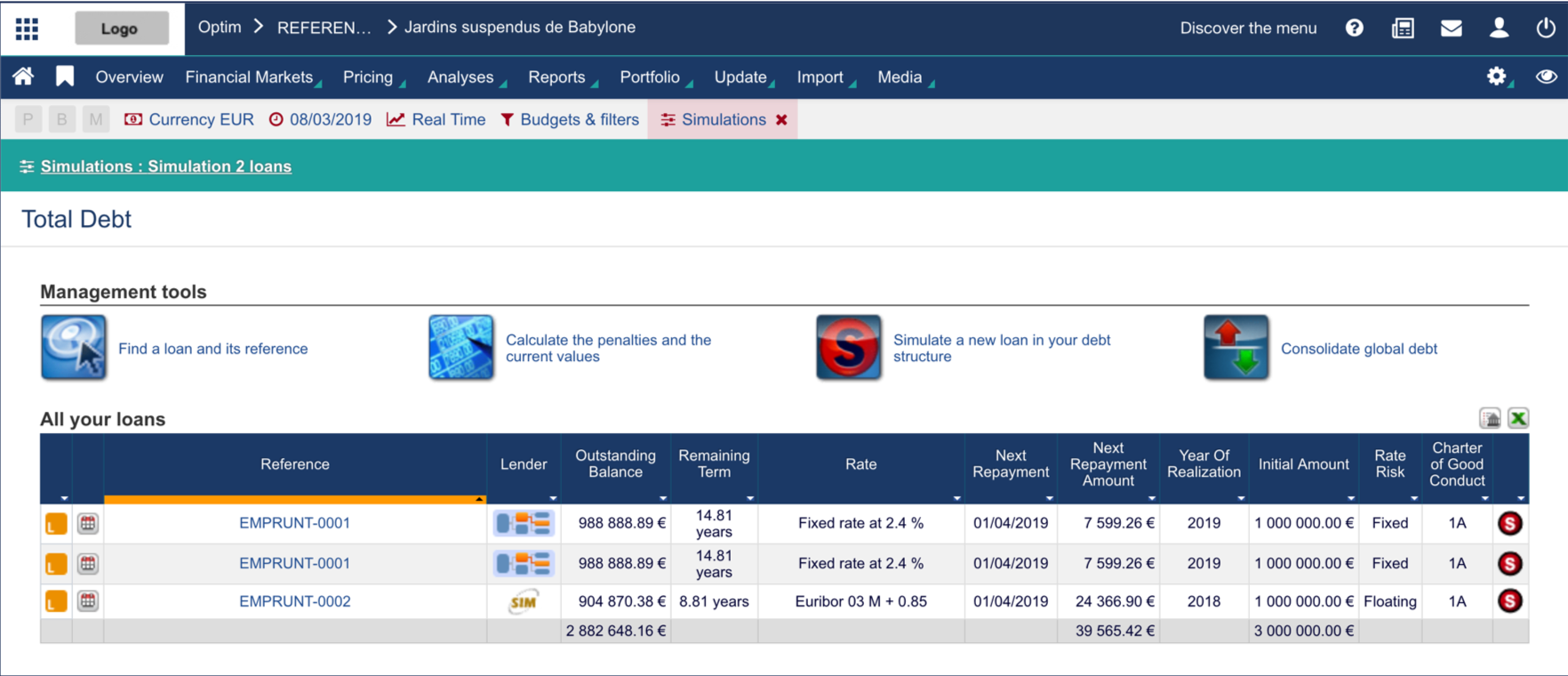
After creating a transaction simulation in Fairways Debt, enable it so it can be taken into account when computing debt.
Log In to Fairways Debt
- Log in to Fairways Debt.
- Load the relevant customer account.
Enable Transactions Simulations
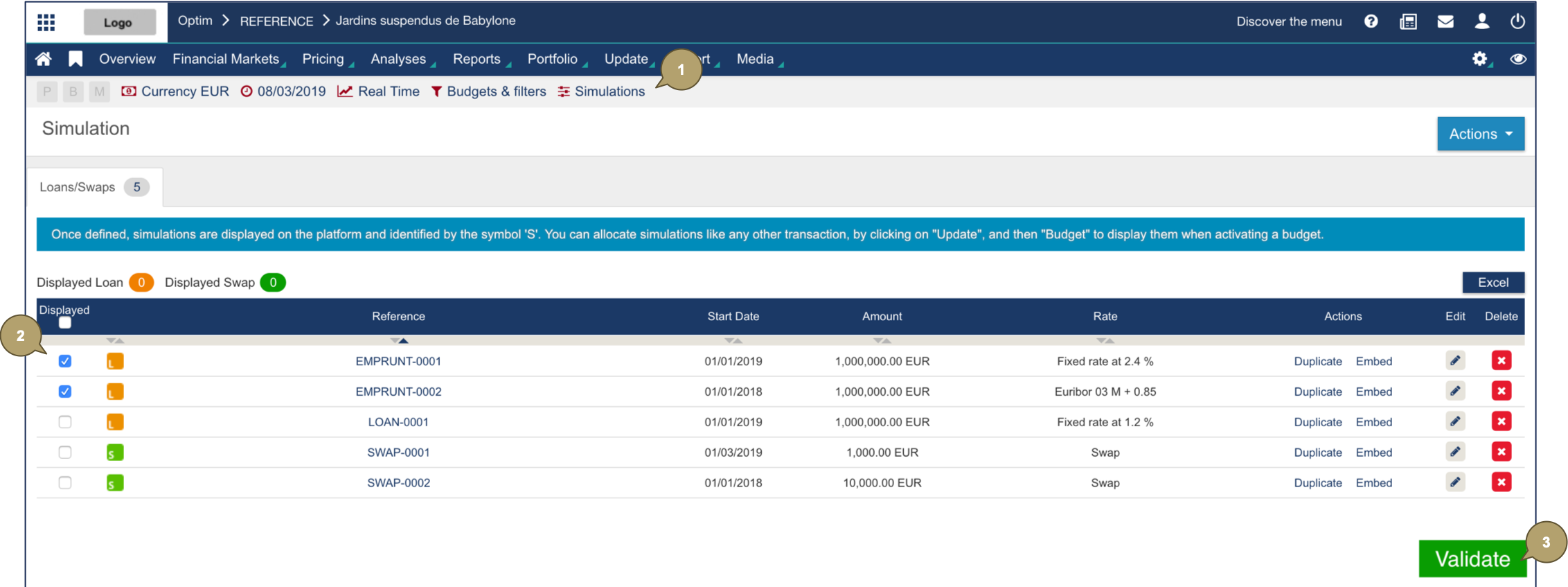
- Navigate to Simulations.
- Select specific simulations or click Show to select all simulations.
- Click Validate.
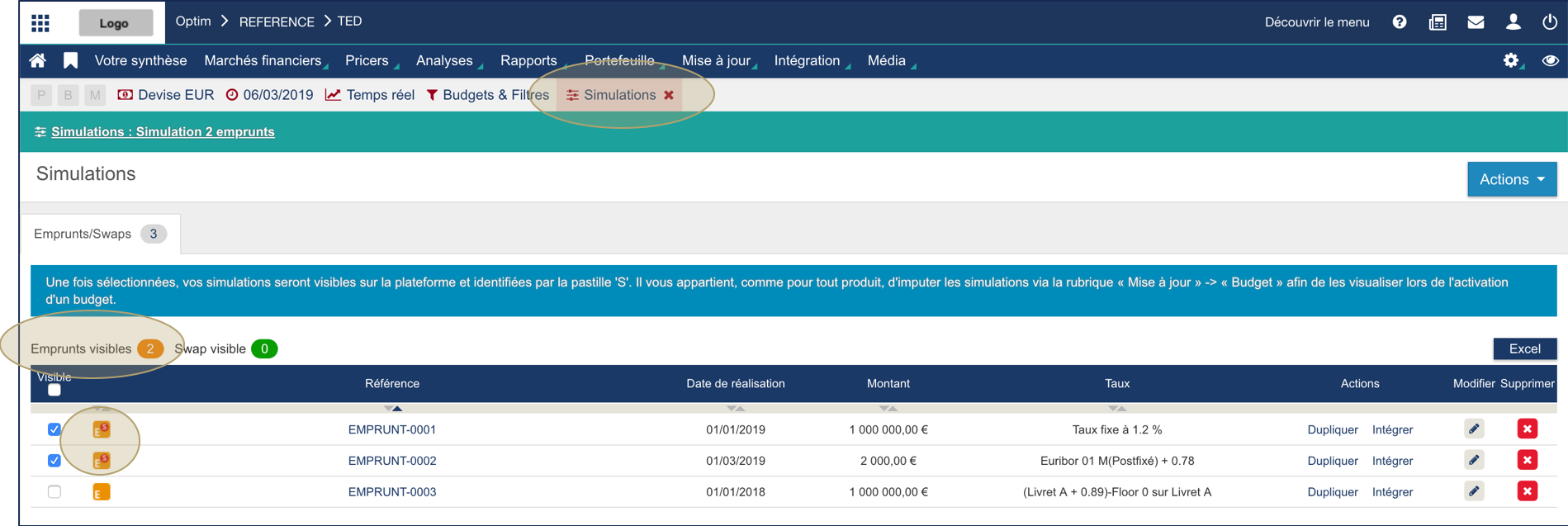
Selected simulations are enabled. The Simulations tab turns red, the count of transactions showed updates and the icons of the enabled transactions are marked with an S.
Enabled transactions display in the portfolio.