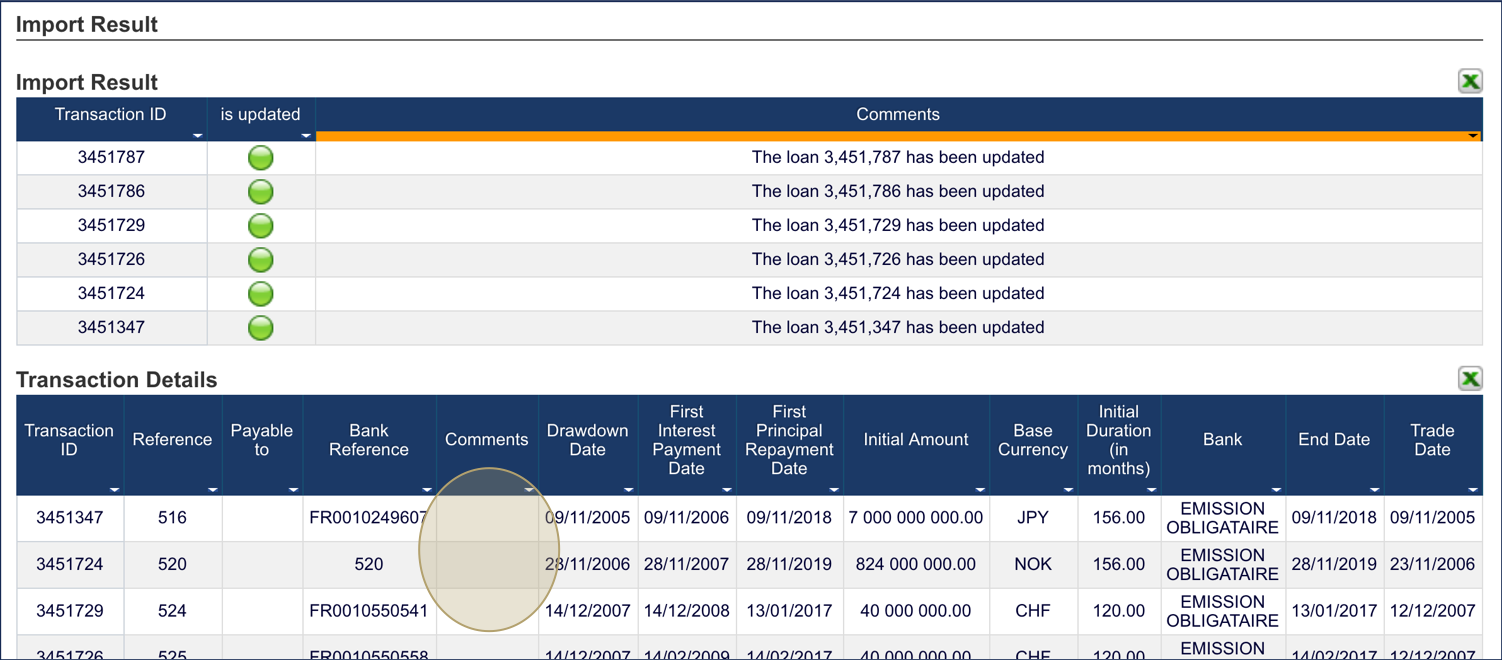
Fairways Debt enables you to simultaneously edit multiple transactions of the same account.
Log In to Fairways Debt
- Log in to Fairways Debt.
- Load the relevant customer account.
Bulk Edit Transactions
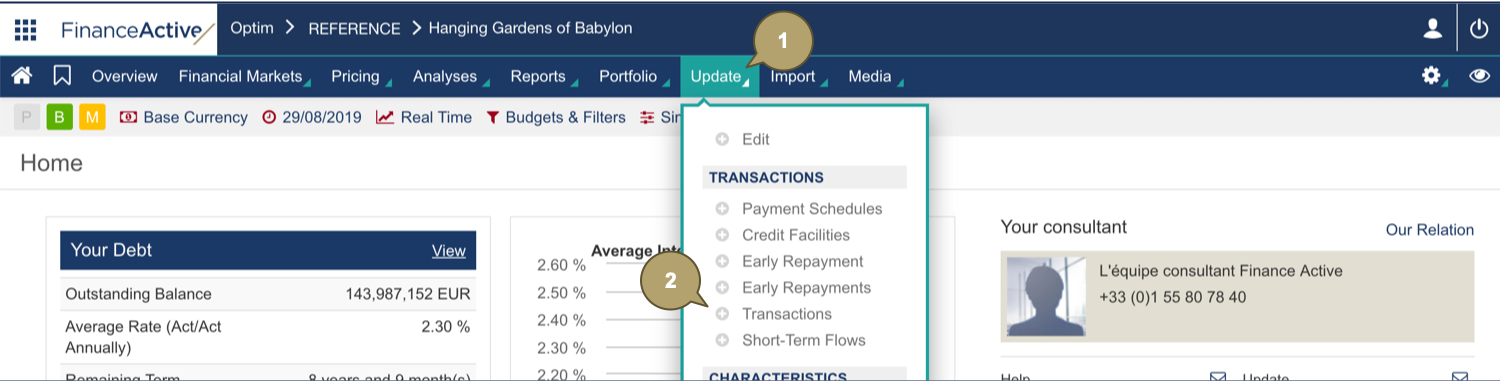
- Click Update.
- Navigate to Transactions > Transactions.
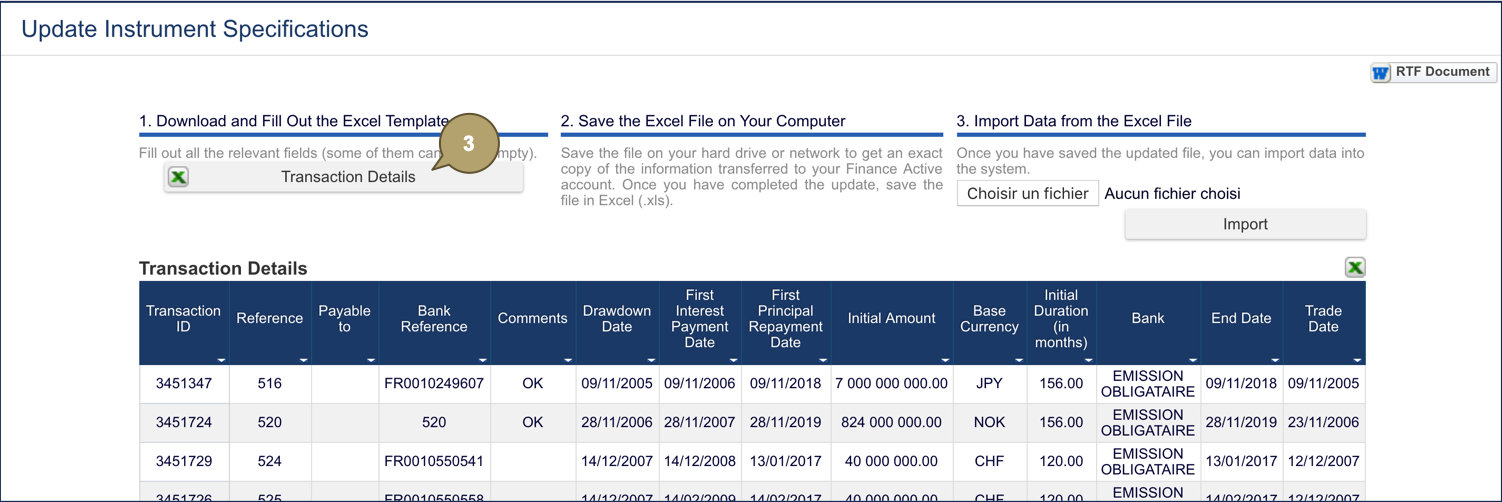
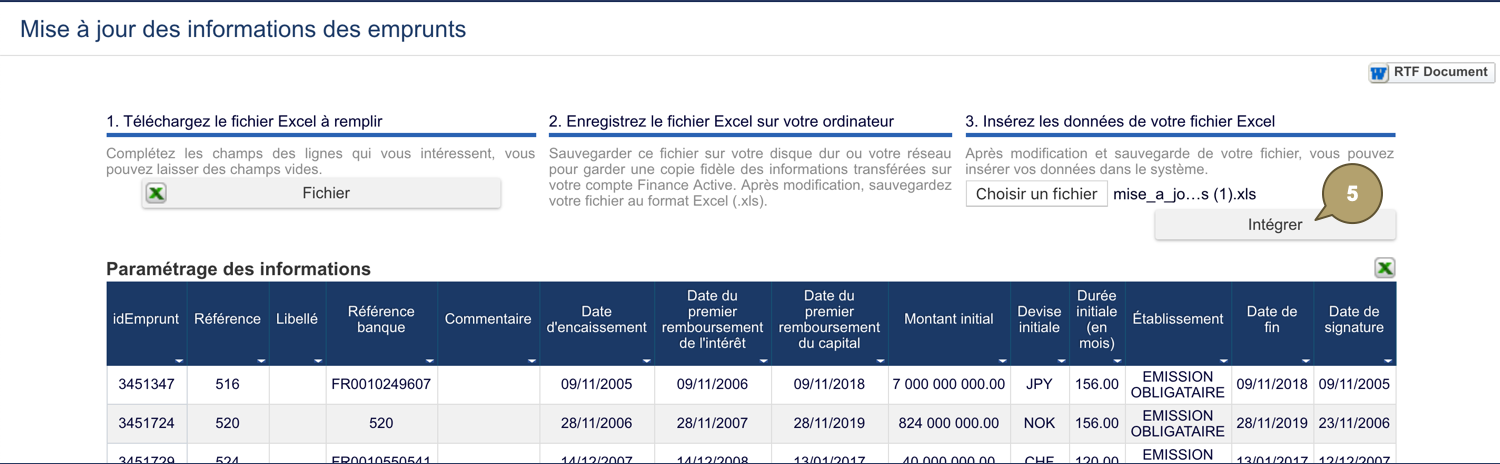
- Download the transaction file.
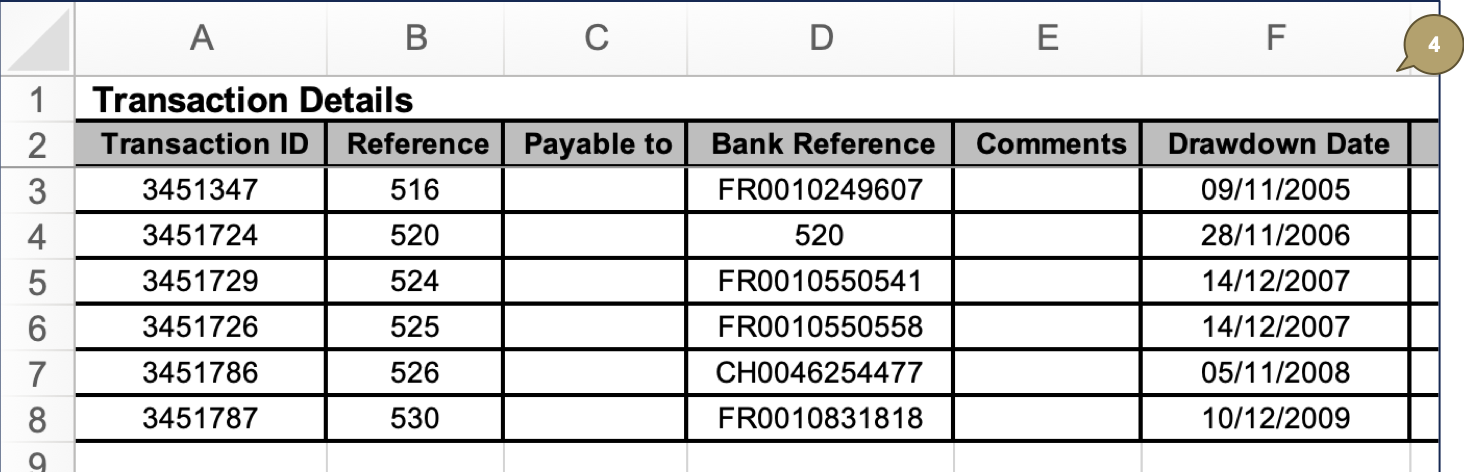
- Edit the file with all relevant details.
|
Field |
Description |
|---|---|
|
Payable to |
Transaction description. Note: Enter 250 characters maximum. |
In this example, we are removing some comments from some transactions.
- Upload the file and click Import.
The transactions update.