The Overview section in Fairways Debt is composed of 3 tabs, introducing concise information related to your debt: average rate, remaining term, average term to maturity, debt by risk type, etc.
Log In to Fairways Debt
- Log in to Fairways Debt.
- Load the relevant customer account.
Open the Interest Rate Exposure Tab
Navigate to Overview > Interest Rate Exposure.
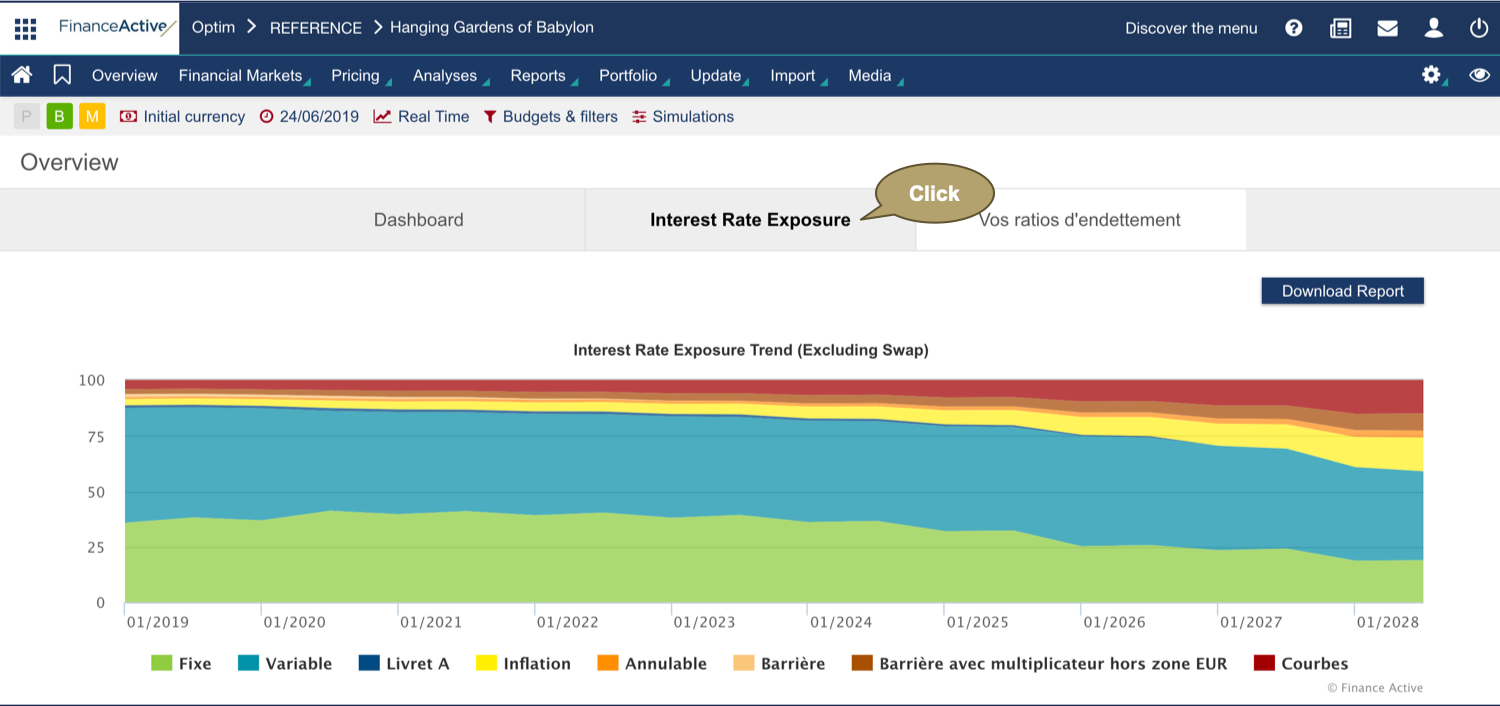
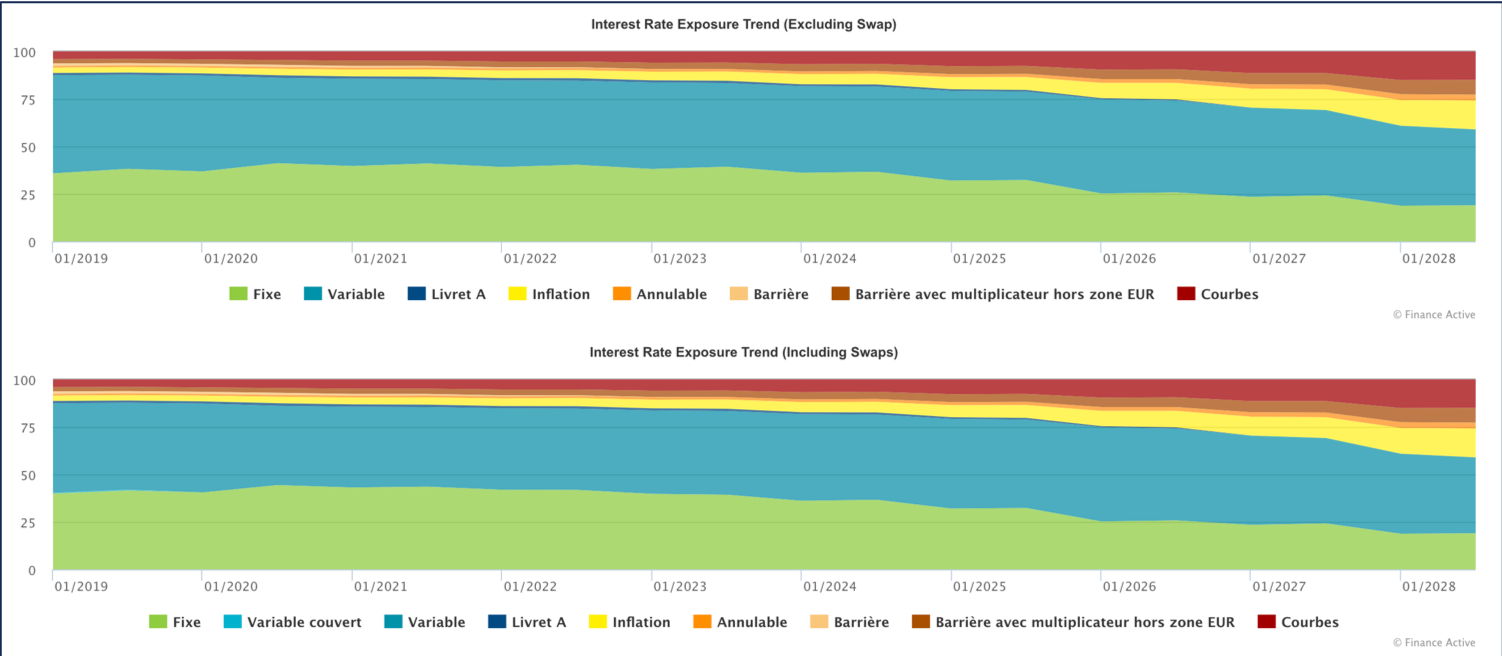
The Interest Rate Exposure Trend charts show the distribution of your debt over time, with or without swaps.
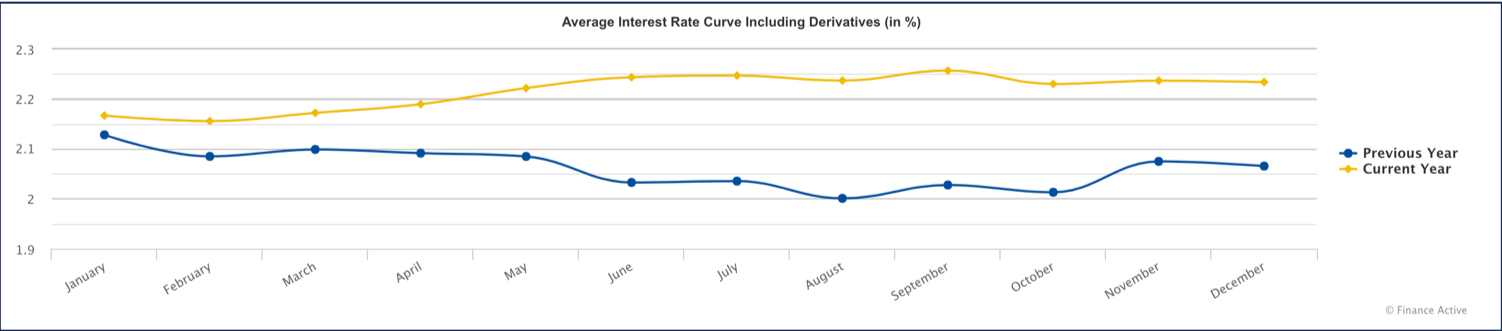
You can also see the trend of your average rate, compared to last year's.