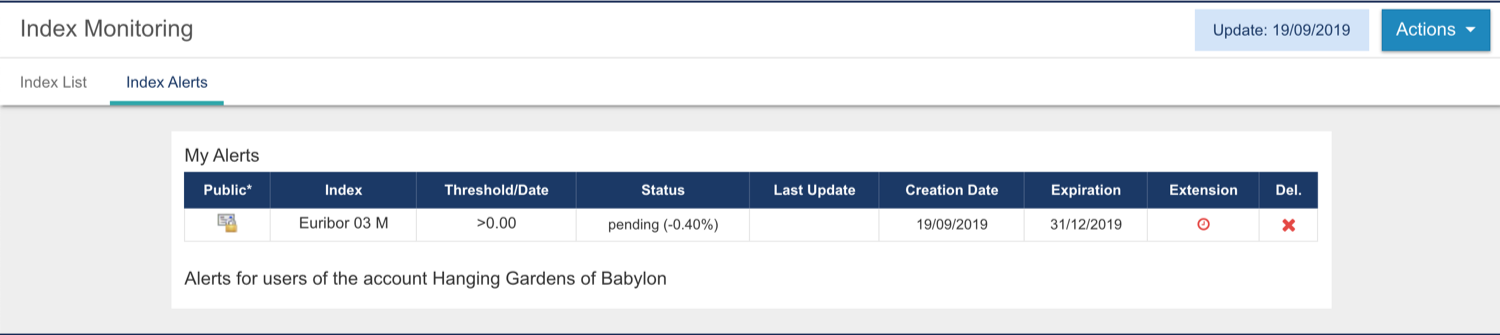
Fairways Debt enables you to create alerts, for example, if you want to be notified by email when an index gets over or below a specific threshold.
Log In to Fairways Debt
- Log in to Fairways Debt.
- Load the relevant customer account.
Create a Threshold Alert
- Click Financial Markets.
- Click Index Monitoring.

- Click Actions > Add Threshold Alert.

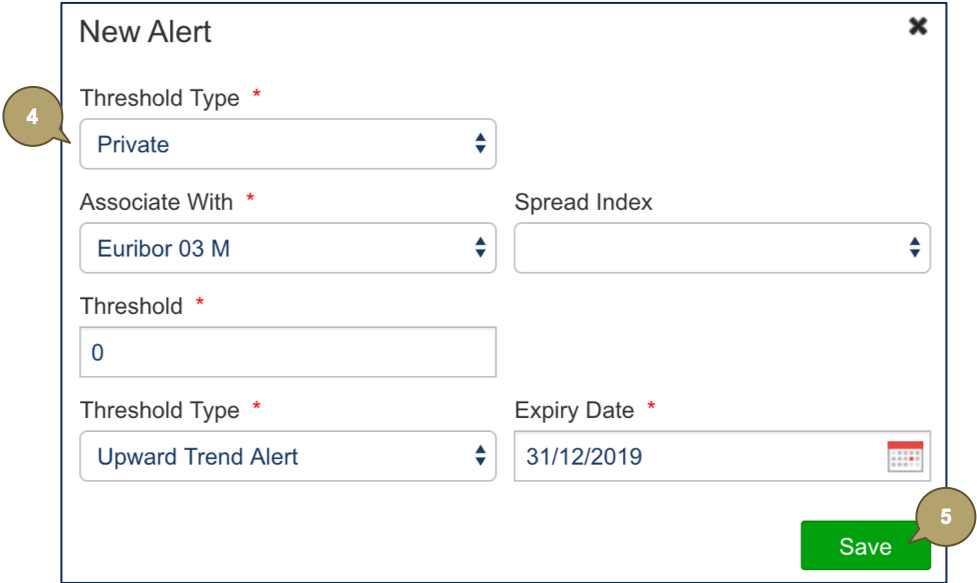
- Complete the form with all relevant details.
Note: Fields marked with an asterisk * are mandatory.
|
Field |
Description |
|---|---|
|
Threshold Type |
Publication mode:
|
|
Associate With |
Index. |
|
Spread Index |
Second index, if required. |
|
Threshold |
Threshold value. |
|
Threshold Type |
Limit or floor. |
|
Expiry Date |
Date at which the alert stops working. |
- Click Save.
The alert is created.