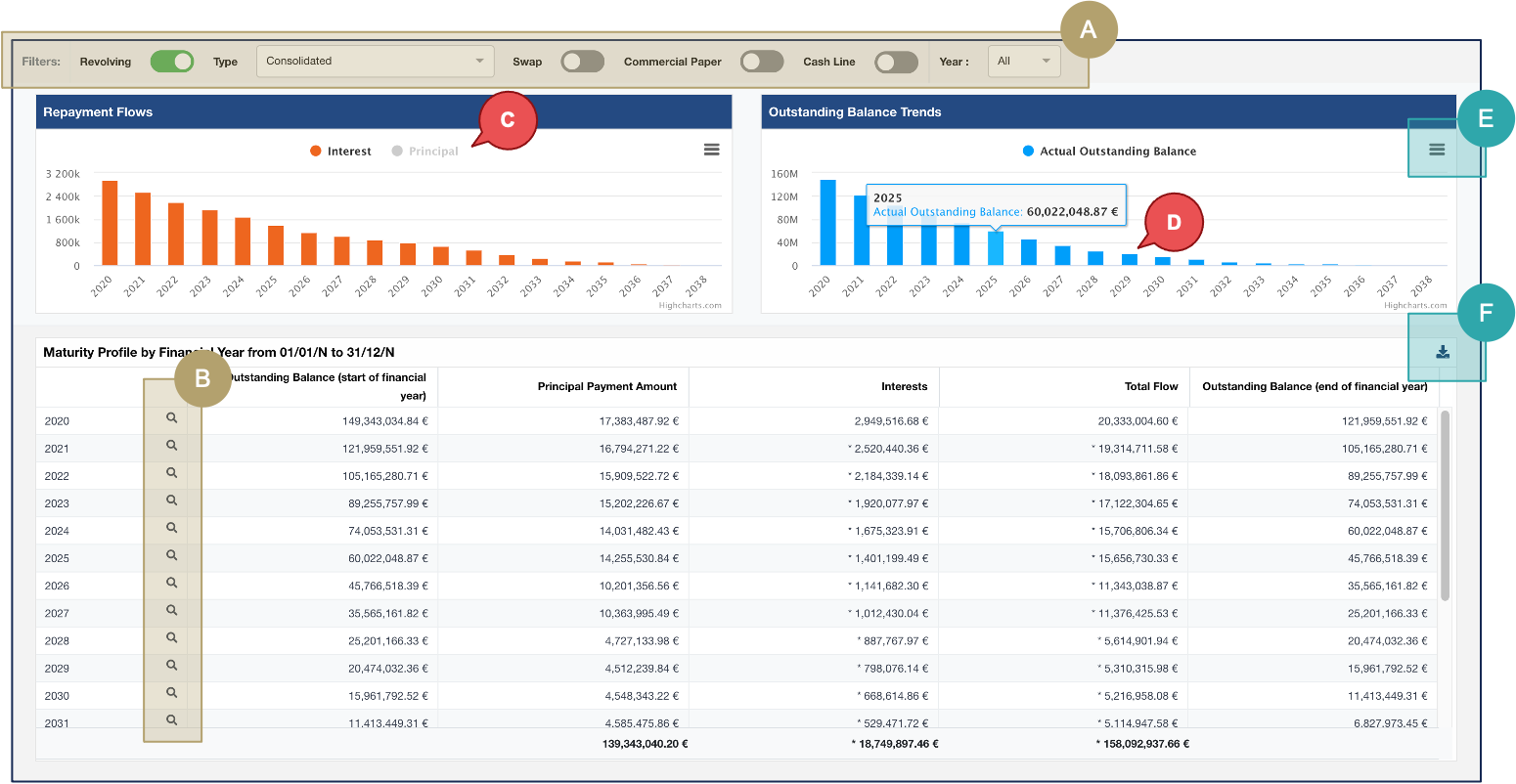
Fairways Debt provides you an overview of your debt profile: the outstanding balance trend over the future financial years.
- Log in to Fairways Debt, and load your customer account, if relevant.
- Click Analyses > Debt Forecast > Total.
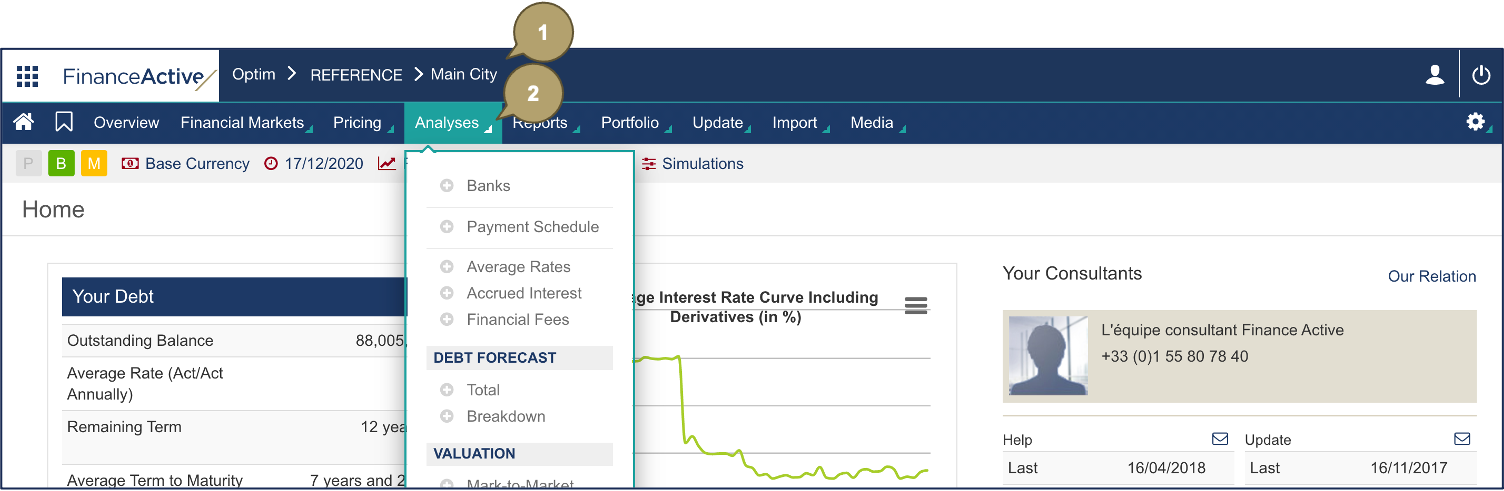
The total debt forecast displays.
Note: The outstanding balance, here, is the one before payments of the 1st of January.
|
# |
Description |
|---|---|
|
A |
Filter by transaction type, by year, by month. Note: The filters display depending on the transactions available in your portfolio. |
|
B |
Filter by year. |
|
C |
Click a criterion to filter the graph data:
|
|
D |
Hover over a data to display its details. |
|
E |
Download the graphs. |
|
F |
Download the table to Excel. |