Fairways Debt can also store your exchanges with Finance Active and monthly summaries, released on the 5th of the following month.
Log In to Fairways Debt
- Log in to Fairways Debt.
- Load the relevant customer account.
Download Messages of an Account
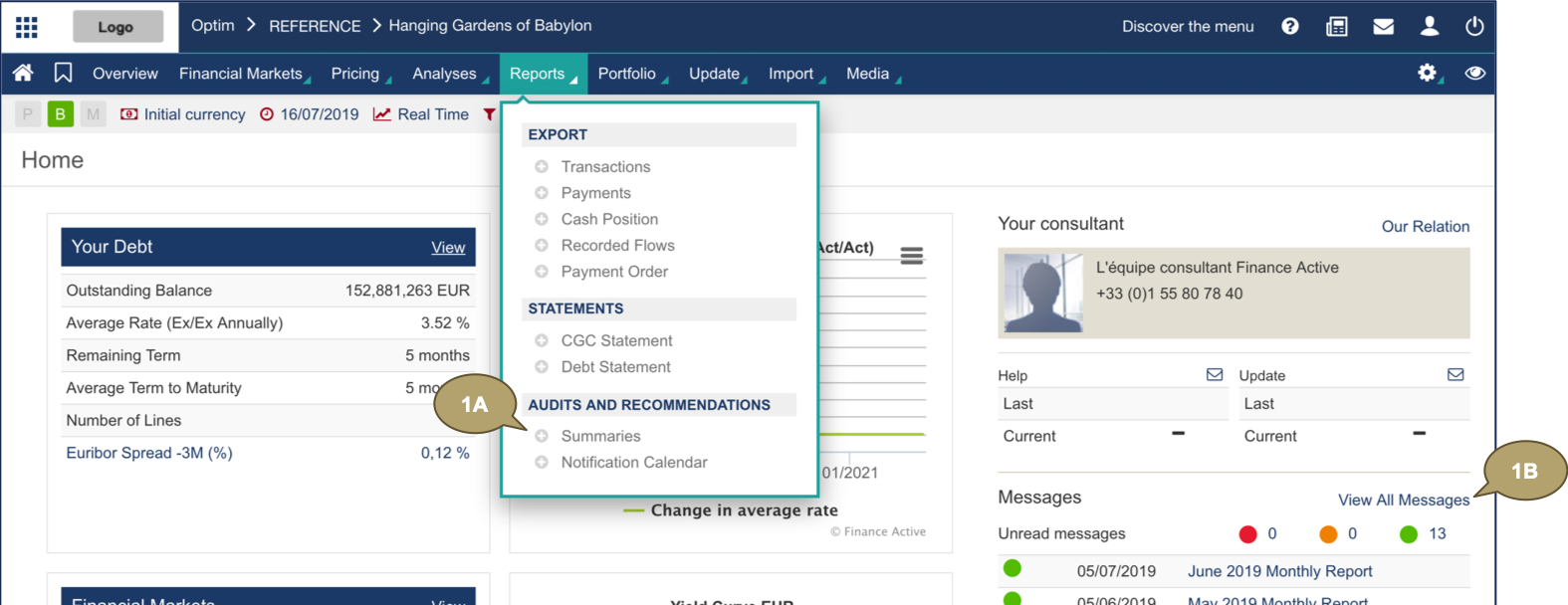
- Navigate to:
- Reports > Audits et Recommendations > Summaries
- View All Messages
- Click an icon in Analysis to download the document.
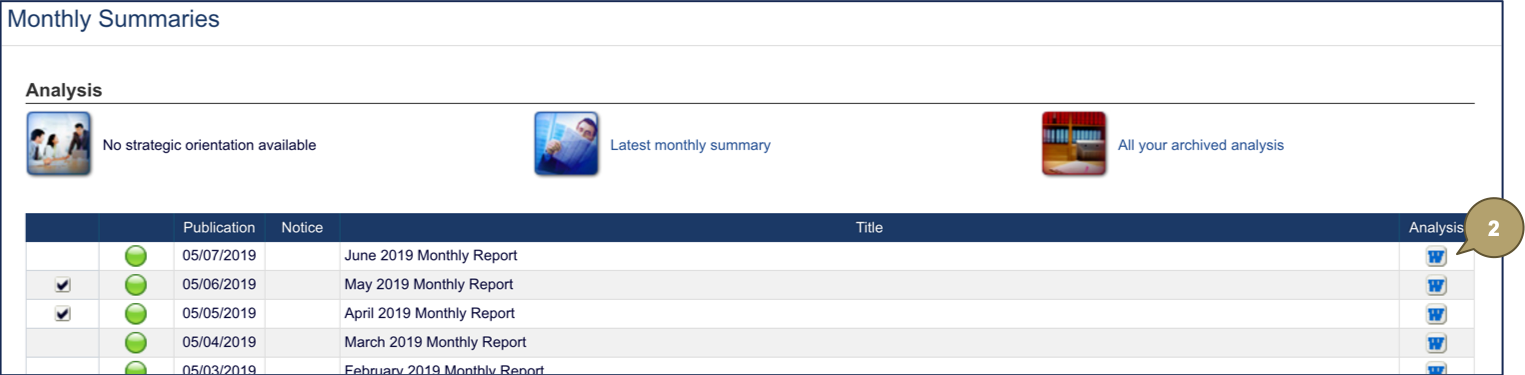
The document is downloaded.
