Fairways Debt enables you to create budget allocations. Once you have created a budget allocation, add a budget to it.
Prerequisite
Log In to Fairways Debt
- Log in to Fairways Debt.
- Load the relevant customer account.
Create a Budget in the Budget Allocation
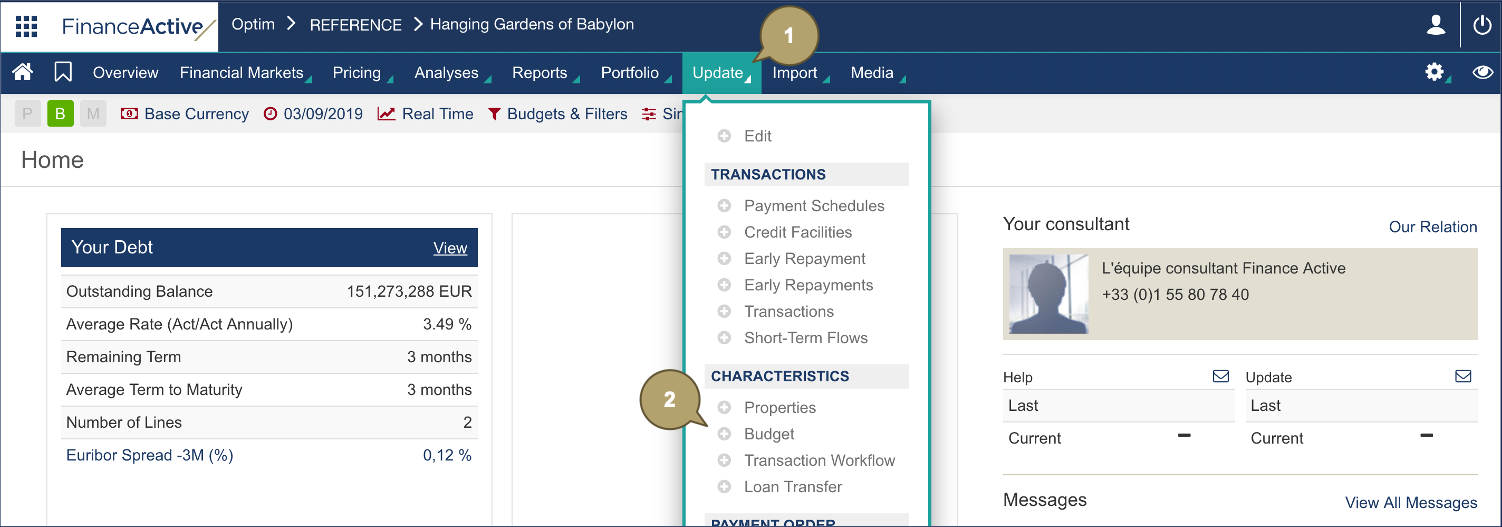
- Click Update.
- Navigate to Characteristics > Budget.
- Click Plus
 beside the relevant budget allocation.

- Complete the form with all relevant details.
|
Field |
Description |
|---|---|
|
Name |
Budget name. |
|
Model |
Model type. |
- Click Validation.

The new budget displays in the budget allocation.
