When creating a customer account in Fairways Debt, a default budget allocation is available by default. Default budgets and classes represent the chapters included in the appendices of the relevant maquette. Fairways Debt enables you to create other budget allocations.
Log In to Fairways Debt
- Log in to Fairways Debt.
- Load the relevant customer account.
Create a Budget Allocation
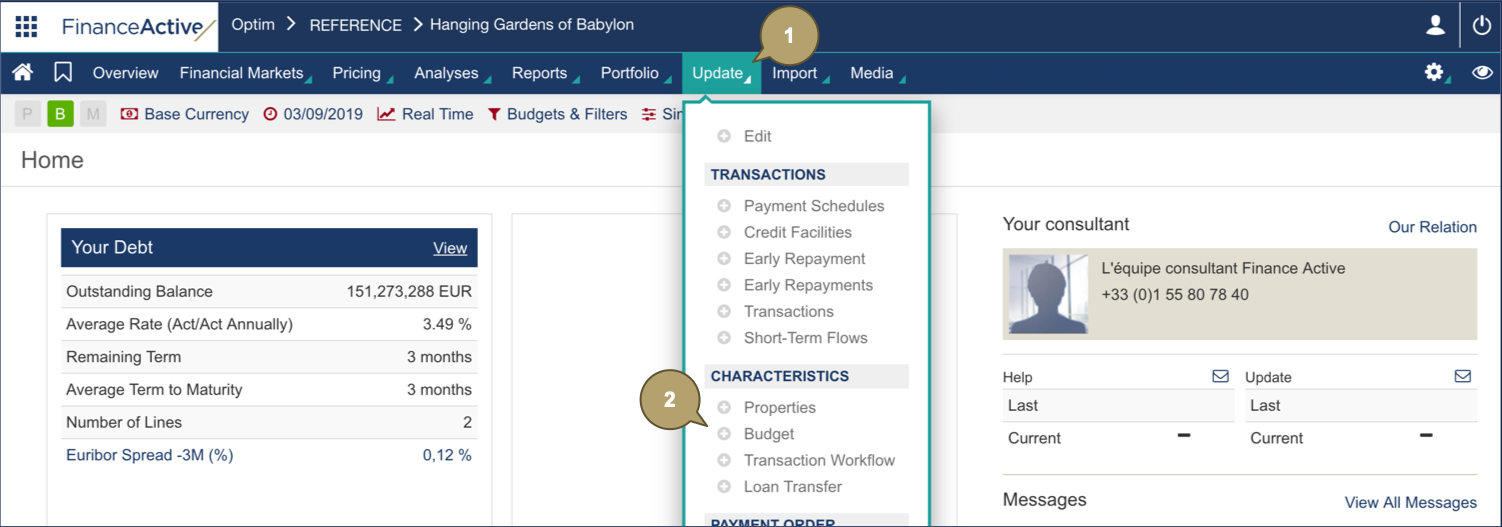
- Click Update.
- Navigate to Characteristics > Budget.
- Click Create Allocation.

- Complete the form with all relevant details.
|
Field |
Description |
|---|---|
|
Technical Allocation |
Allocation type. |
|
Custom Allocation |
Allocation name. |
|
Detailed Charges |
Enable/Disable to impact the budget principal. Notes:
|
- Click Validate.
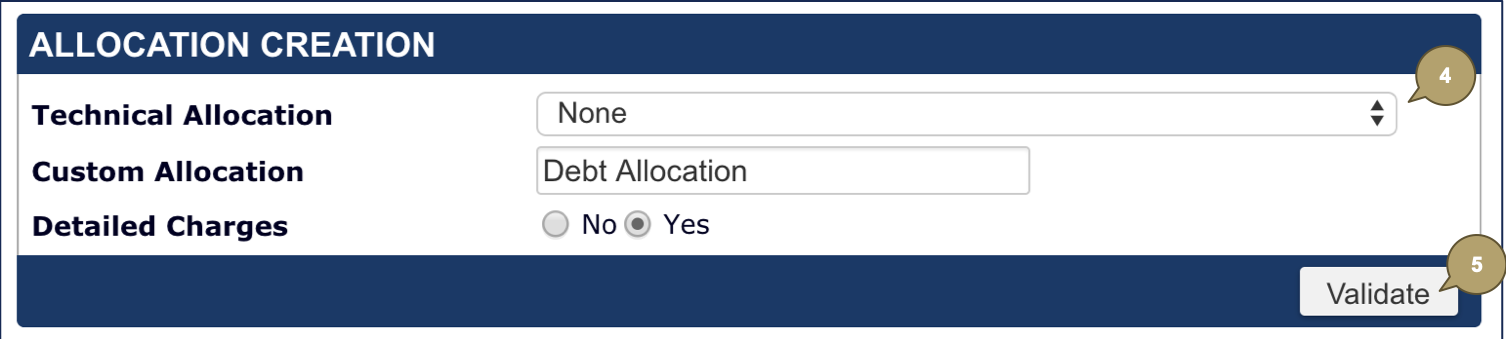
The budget allocation is created.
