Fairways Debt enables you to create budget allocations. To edit debt statements, all the loans must be charged to a budget class. If a loan is not fully allocated, you cannot generate debt appendices.
Prerequisites
Log In to Fairways Debt
- Log in to Fairways Debt.
- Load the relevant customer account.
Charge a Budget
- Click Update.
- Navigate to Characteristics > Budget.
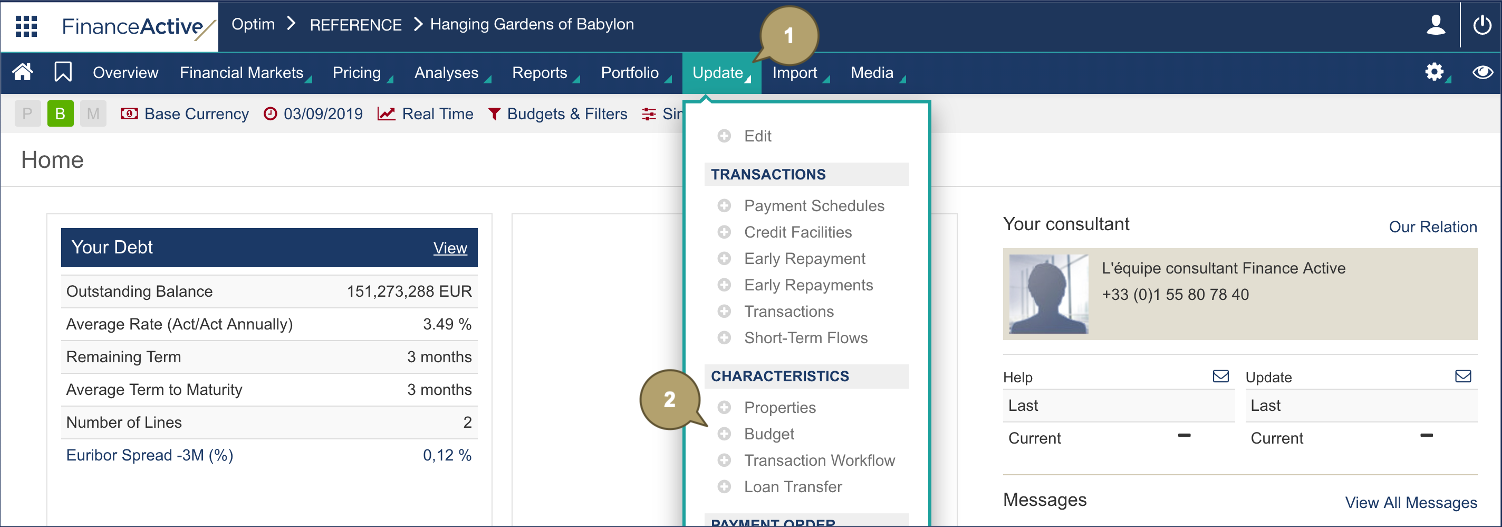
- Click Update
 beside the relevant budget class.

- Add a charge rate to the loan(s) to assign to the budget.
- Click Validation.
In our example, we are assigning a 100% rate to the principal and paid interest.
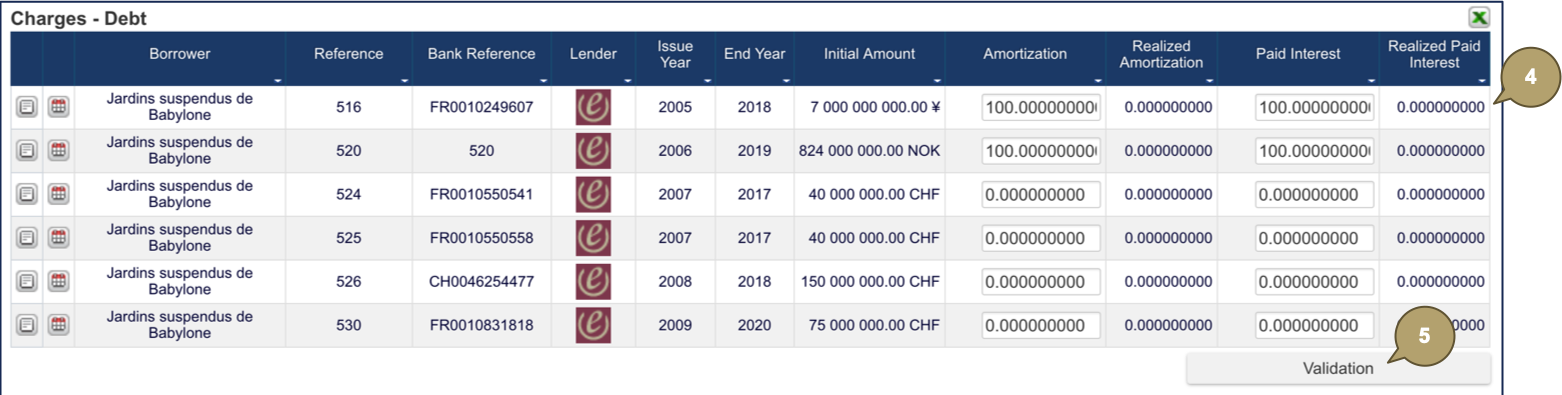
The budget is charged with the selected loans.
