Fairways Debt enables you to create overdraft facilities and commercial papers, then to add documents to their profiles.
Prerequisites
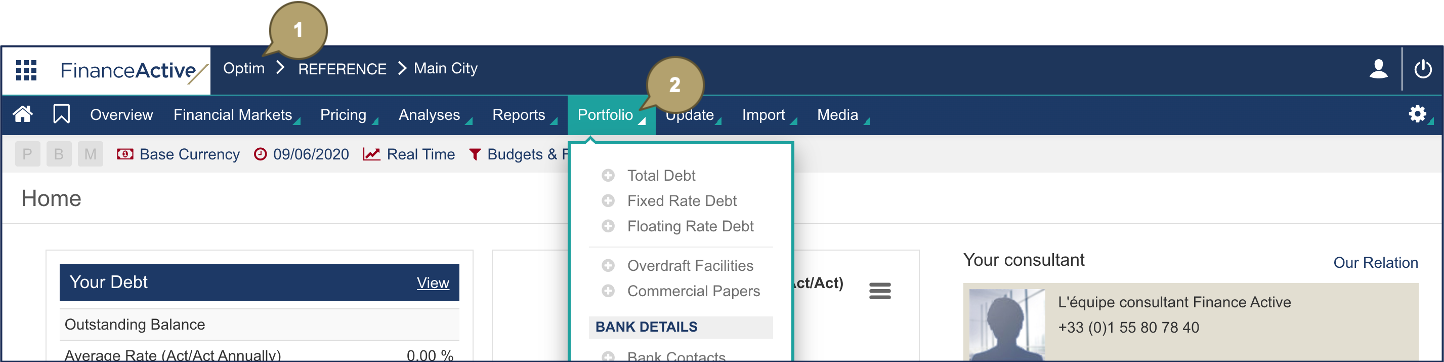
Navigate to Overdraft Facilities / Commercial Papers
- Log in to Fairways Debt.
- Navigate to Portfolio > Overdraft Facilities or Commercial Papers.
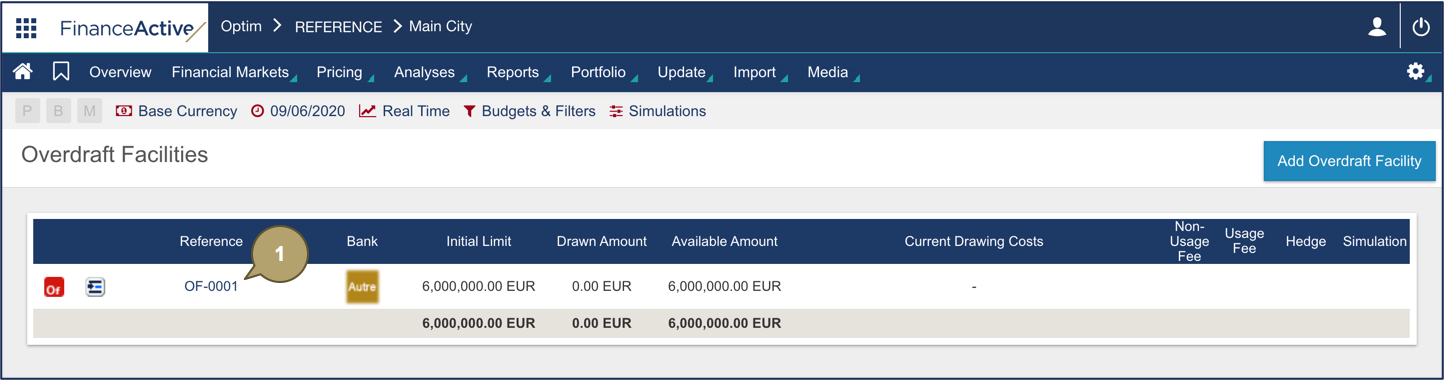
Attach a Document to an Overdraft Facility / Commercial Paper
- Click the reference of the relevant transaction.
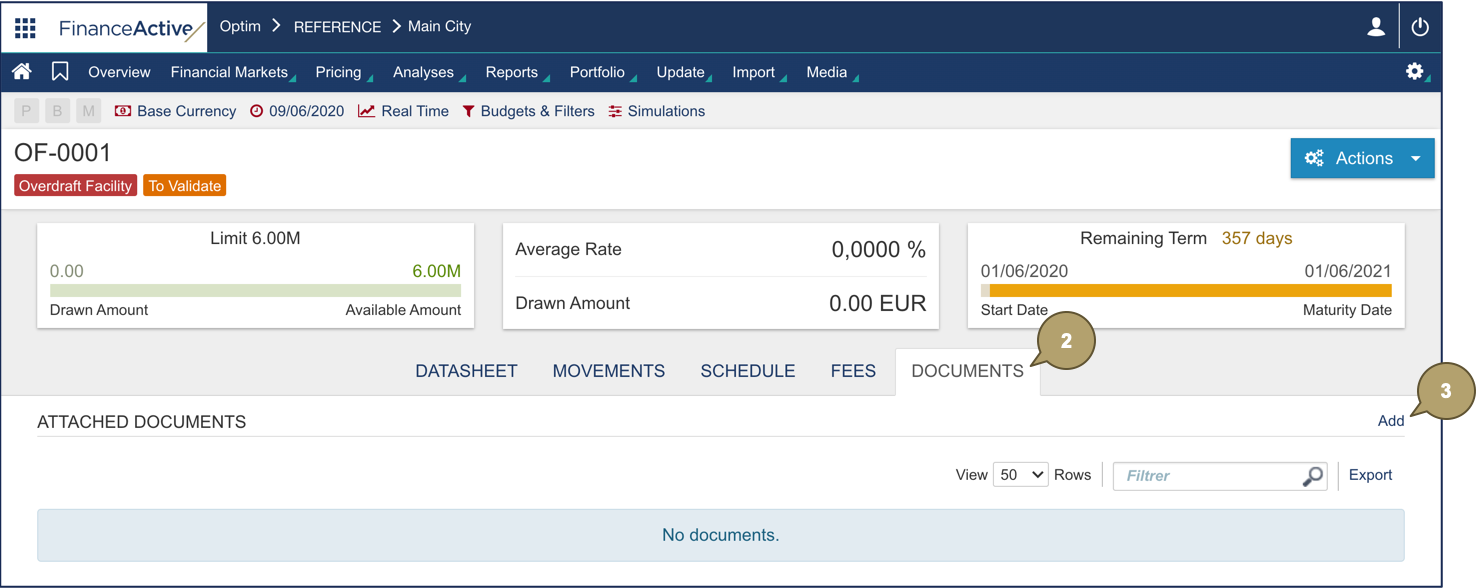
- Navigate to Documents.
- Click Add.
- Complete the form with all relevant details.
Note: Fields marked with an asterisk * are mandatory.
|
Field |
Description |
|---|---|
|
Type |
Document type so it can be classified. |
|
Description |
Additional details about the document. |
|
File |
Document to attach to the transaction. |
- Click Confirm.
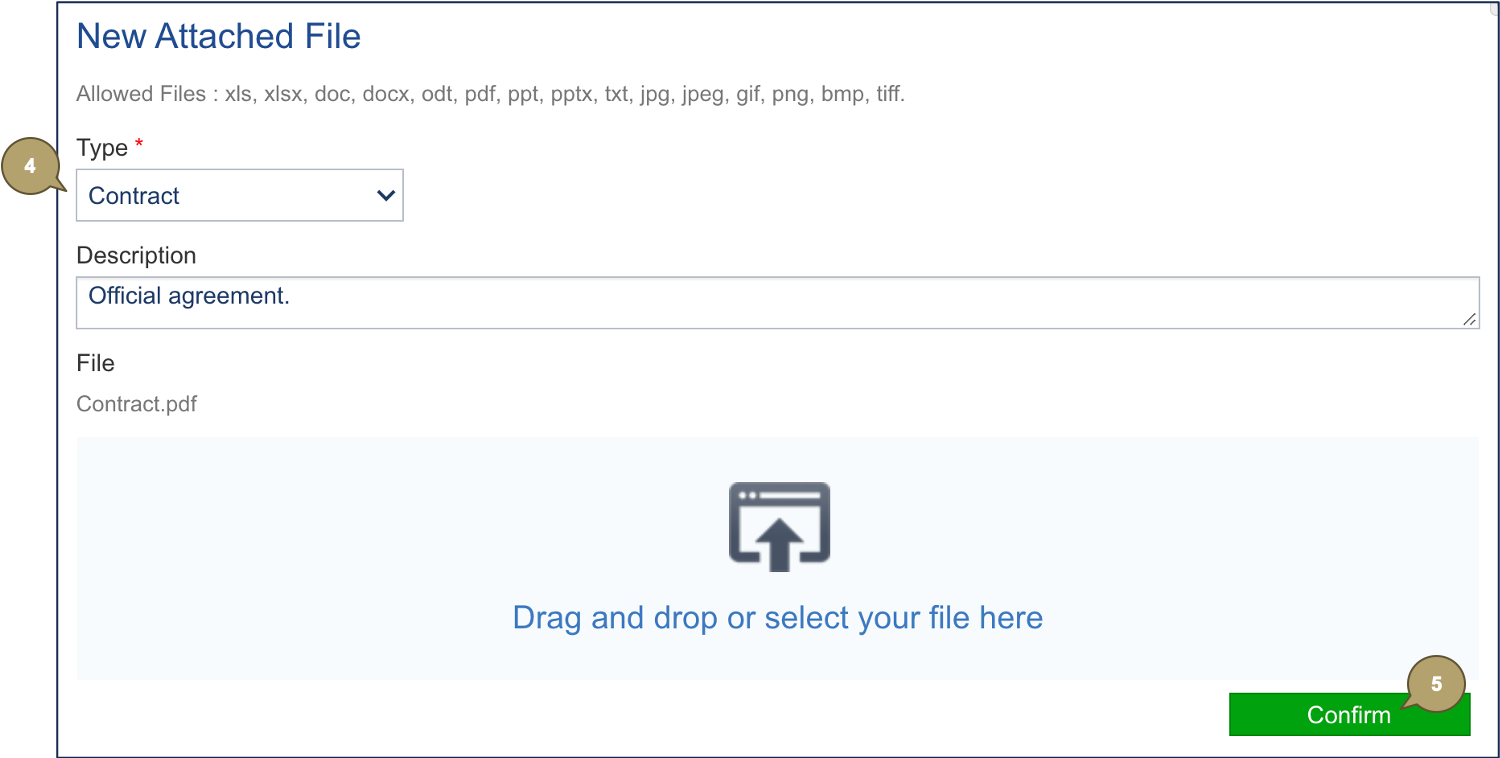
The document is attached to the transaction.