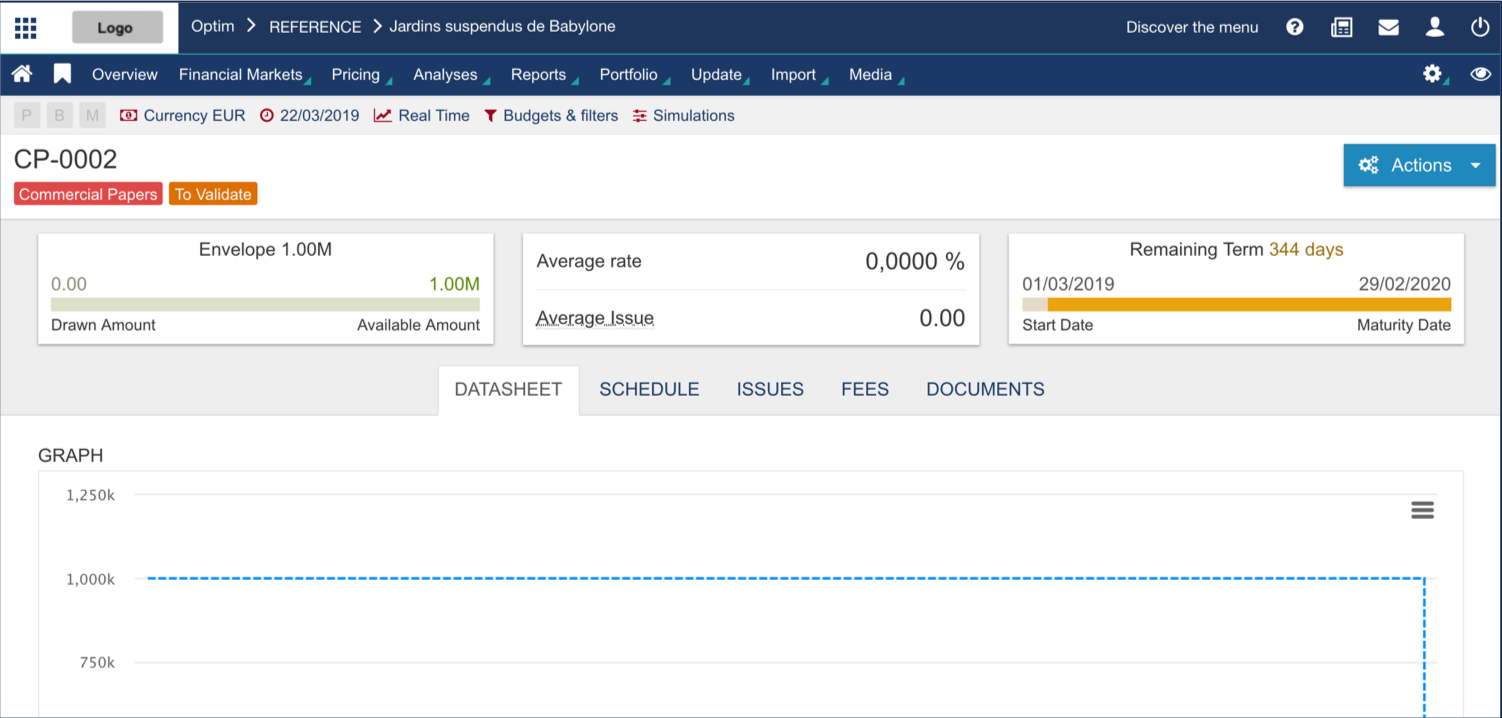
Fairways Debt enables you to create commercial papers, a short-term zero-coupon transaction.
Log In to Fairways Debt
- Log in to Fairways Debt.
- Load the relevant customer account.
Create a Commercial Paper
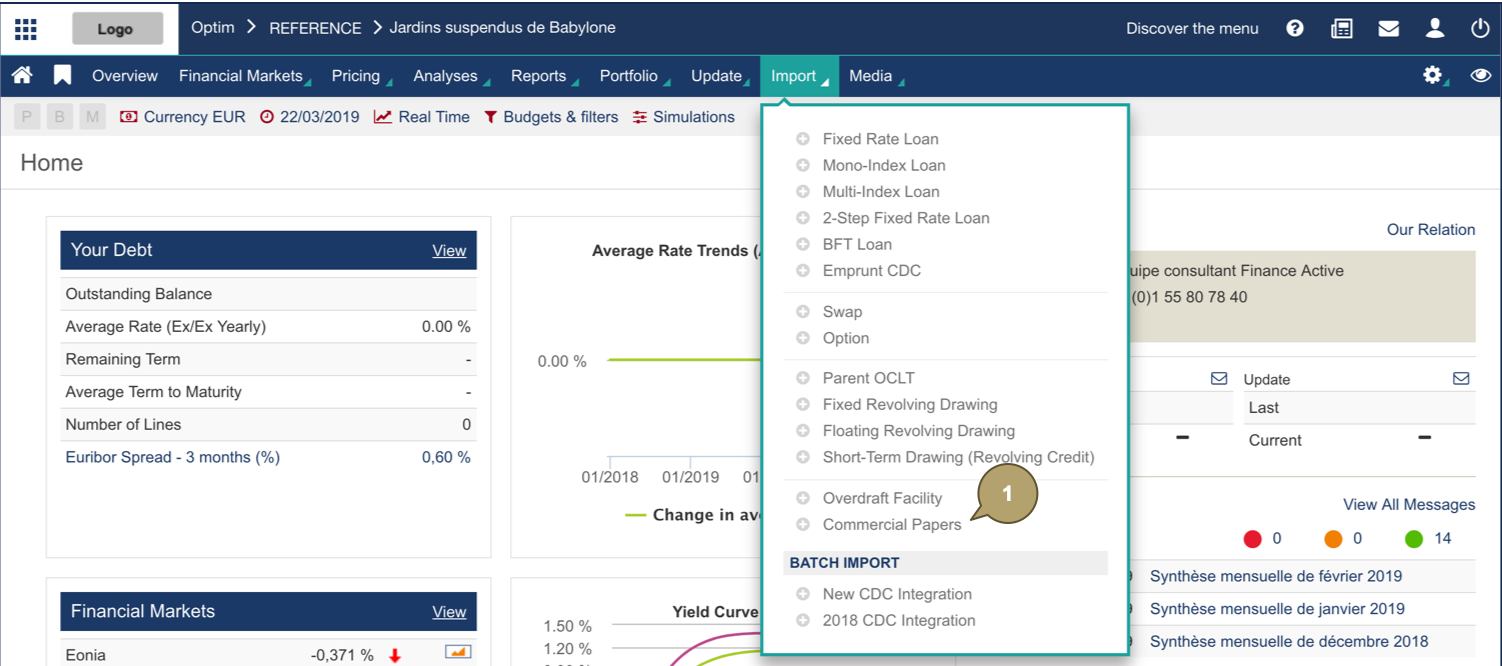
- Click Import > Commercial Papers.
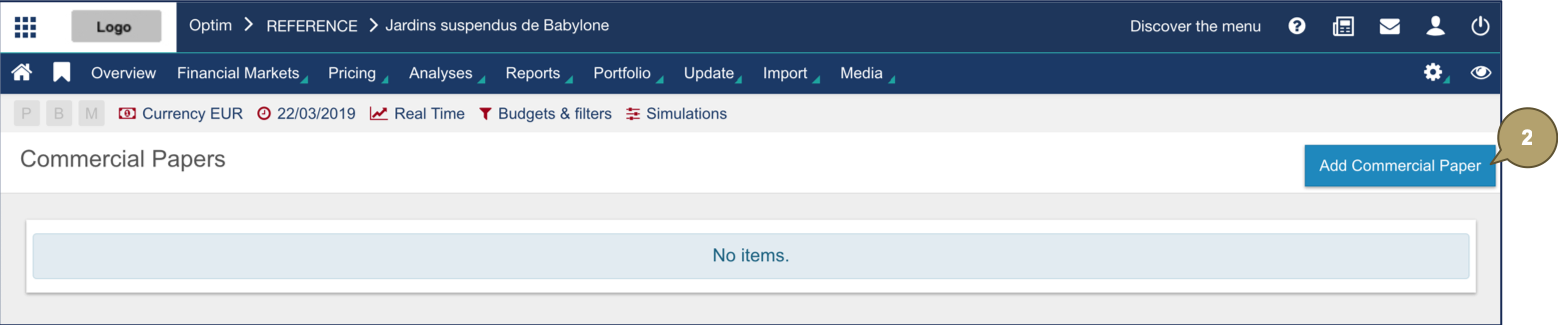
- Click Add Commercial Paper.
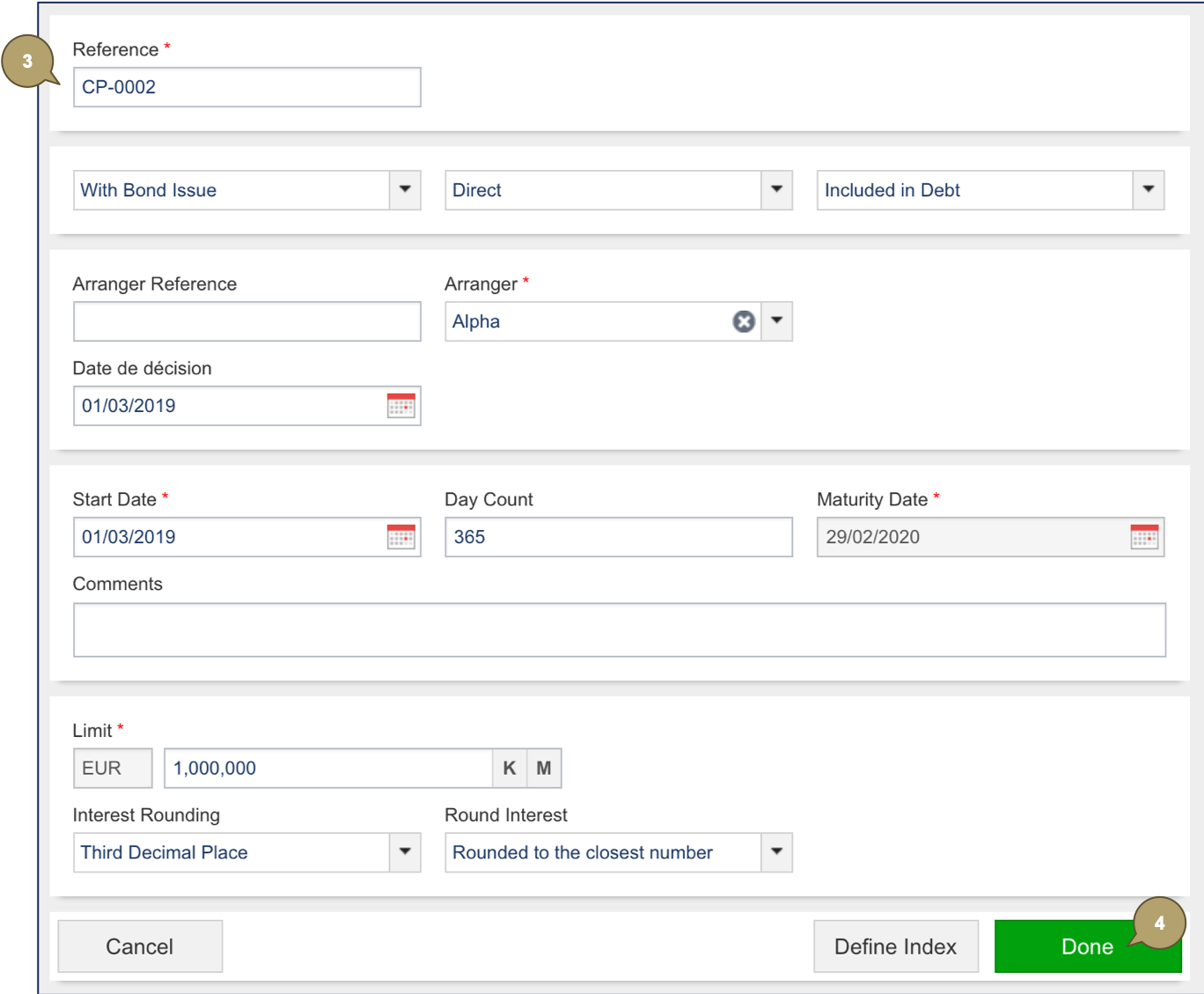
- Complete the form with all relevant details.
Note: Fields marked with an asterisk * are mandatory.
|
Field |
Description |
|---|---|
|
Reference |
Transaction reference, identifying the transaction in the portfolio. |
|
Bond Issue |
With or without bond issue. |
|
Issue Type |
Direct or indirect. |
|
Debt |
Include or exclude the commercial paper in the debt computation. |
|
Arranger Reference |
Counterparty reference. |
|
Arranger |
Counterparty, e.g. a bank. |
|
Decision Date |
Date at which the commercial paper has been traded. |
|
Start Date |
Start date of the commercial paper. |
|
Day Count |
Used to compute the day fraction of an interest accrual period. |
|
Maturity Date |
Maturity date of the transaction. |
|
Comments |
Additional details about the commercial paper. |
|
Limit |
Maximum authorized amount of all the bonds issued. |
|
Interest Rounding |
Rounding rule: count of decimals. |
|
Round Interest |
Rounding rule: rounding up or down. |
- Click Done to continue.
The new commercial paper displays.