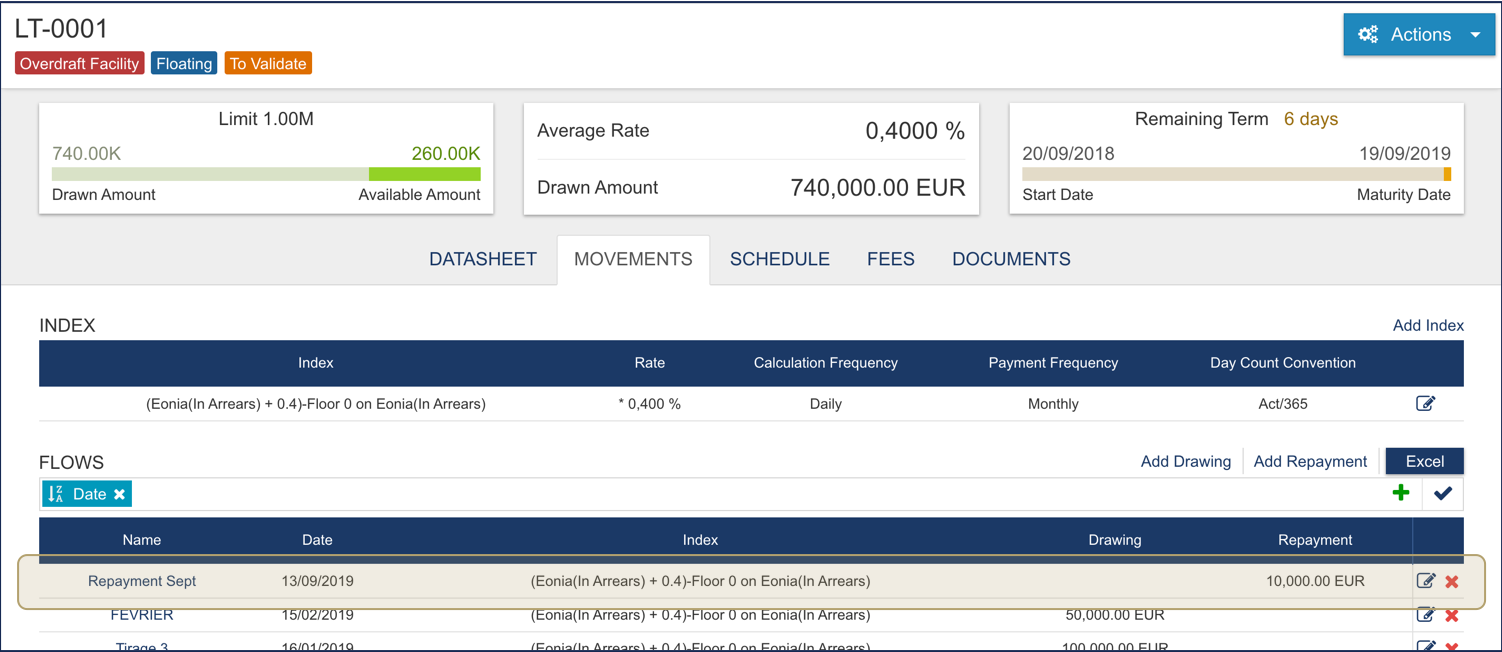
Fairways Debt enables you to track and update movements of your overdraft facilities, such as repayments.
Log In to Fairways Debt
- Log in to Fairways Debt.
- Load the relevant customer account.
Open an Overdraft Facility Profile
- Click Portfolio.
- Click Overdraft Facilities.
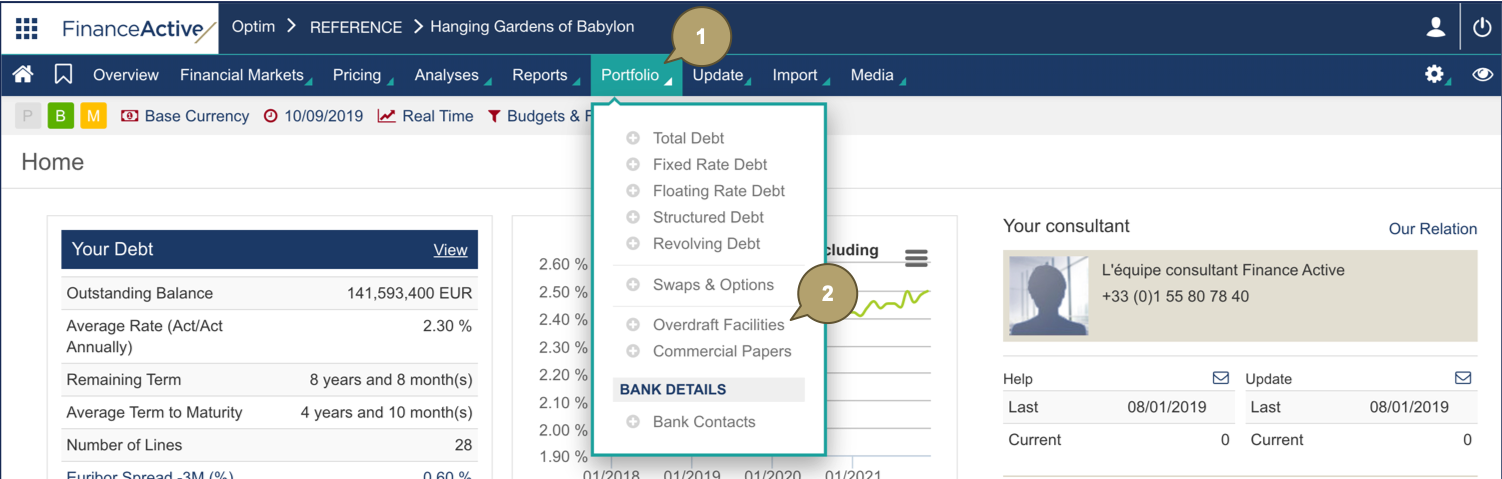
- Click the overdraft facility to draw.

The selected overdraft facility displays.

Repay an Overdraft Facility
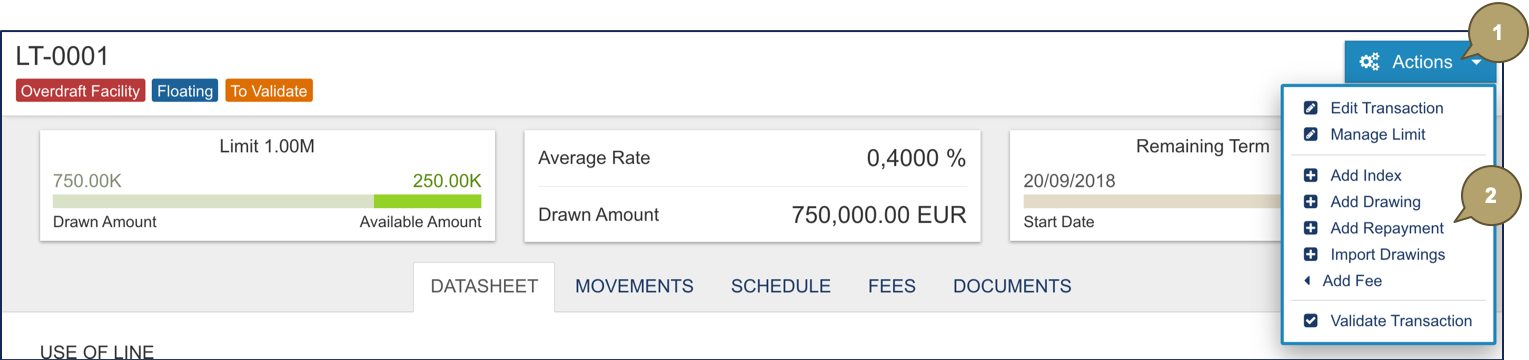
- Click Actions.
- Click Add Repayment.
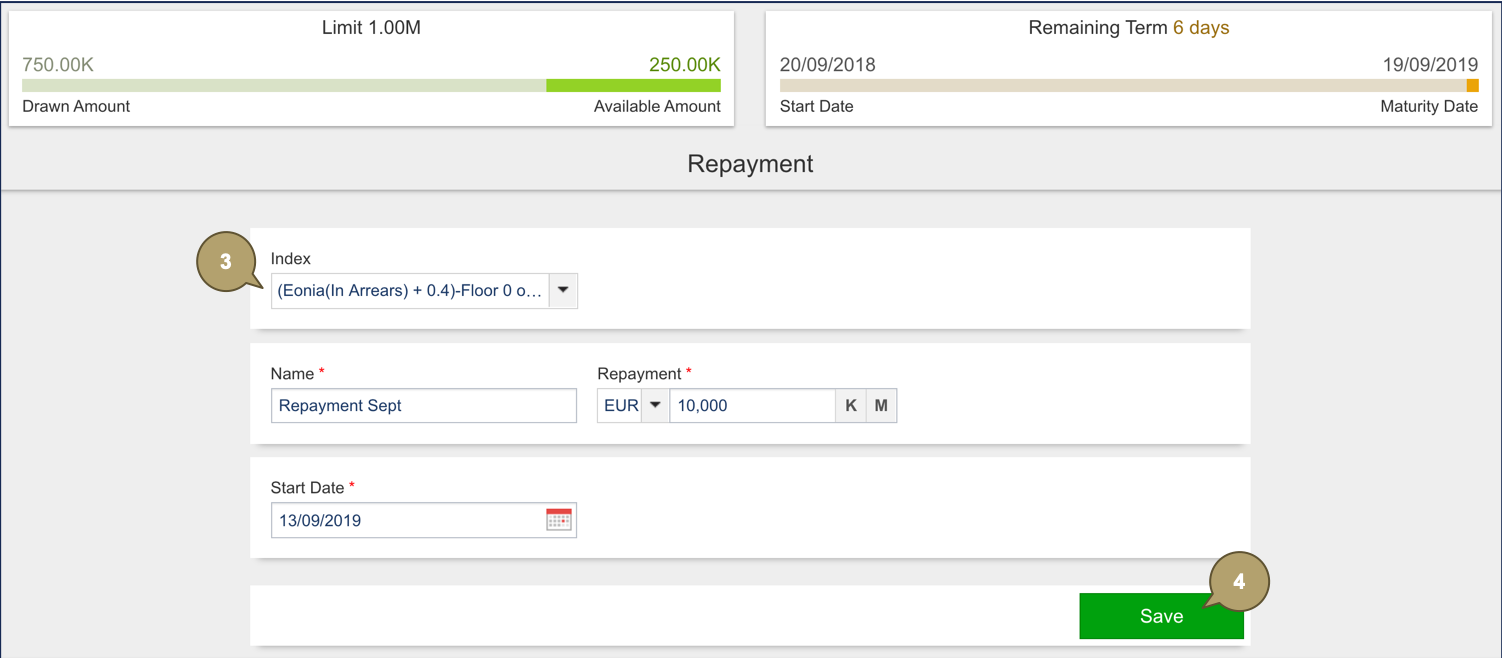
- Complete the form with all relevant details.
Note: Fields marked with an asterisk * are mandatory.
|
Field |
Description |
|---|---|
|
Index |
Repayment index. |
|
Name |
Repayment reference. |
|
Drawing |
Repayment amount and currency. |
|
Start Date |
Repayment start date. |
- Click Save.
The repayment applies to the overdraft facility.