Fairways Debt enables to draw sums from credit facilities / revolvings.
Log In to Fairways Debt
- Log in to Fairways Debt.
- Load the relevant customer account.
Create a Drawing in a Credit Facility
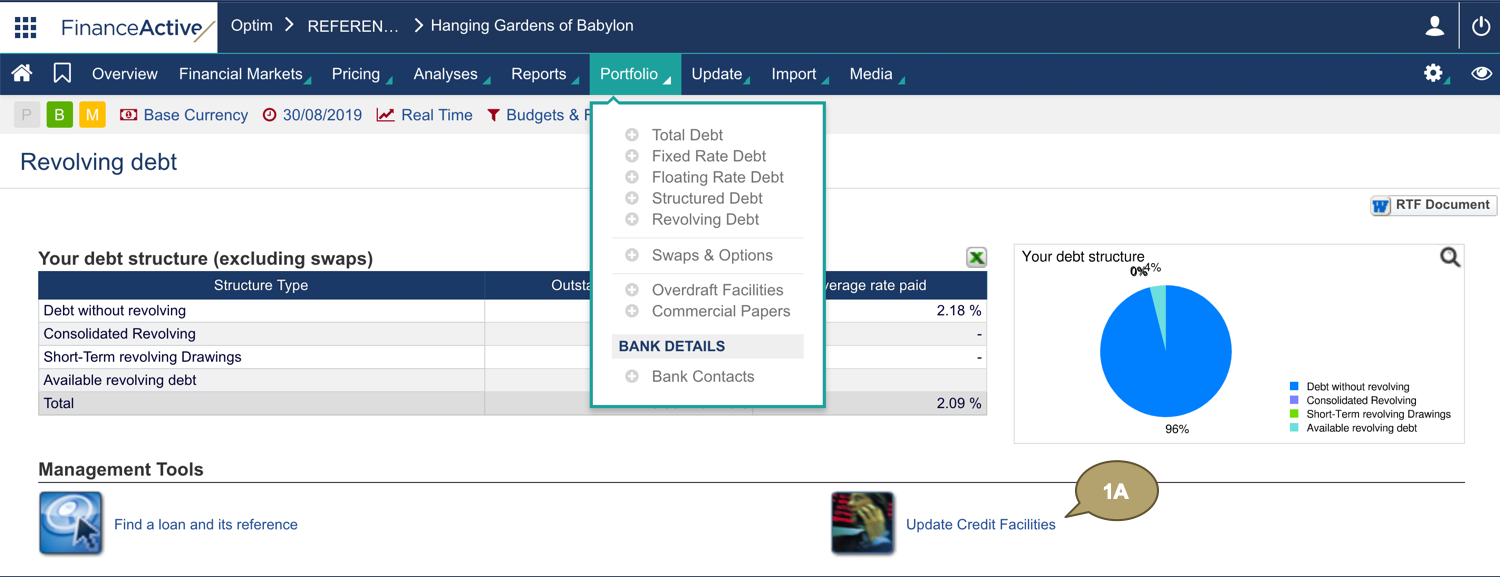
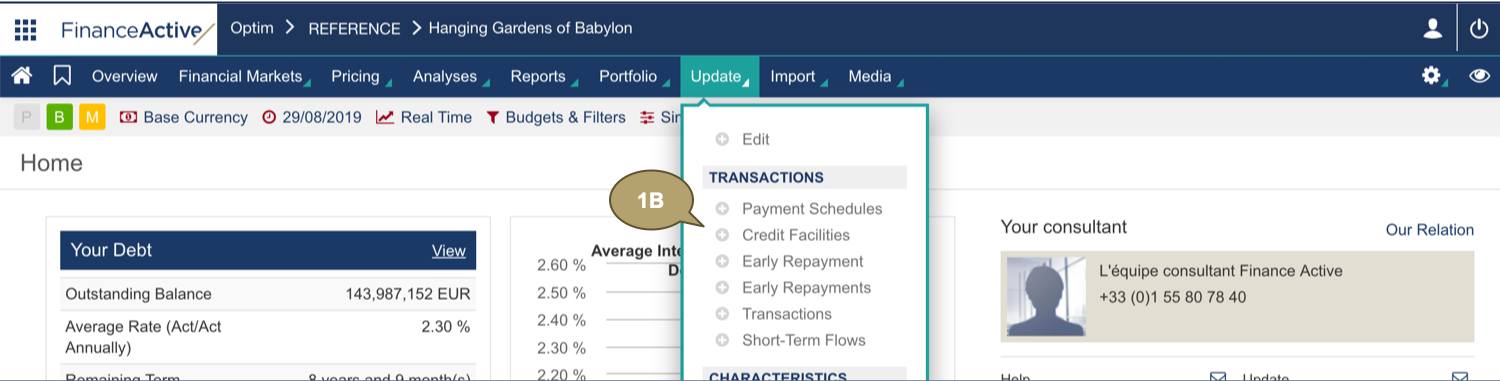
- Navigate to:
- Portfolio > Revolving Debt > Update Credit Facilities
- Update > Credit Facilities
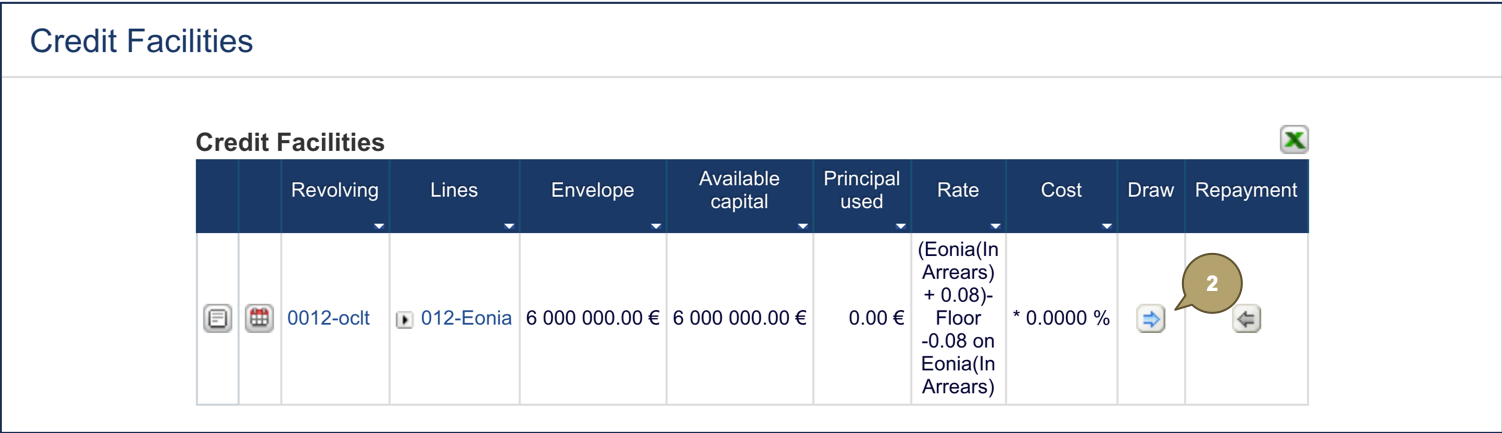
- Click Draw
 beside the relevant credit facility.
- Complete the form with all relevant details.
|
Field |
Description |
|---|---|
|
Drawdown Date |
Date at which the drawing occurs. |
|
Amount |
Amount drawn. |
- Click Validation.

The history of the movements updates.
